
This document is about the operation guide of a Casio watch.
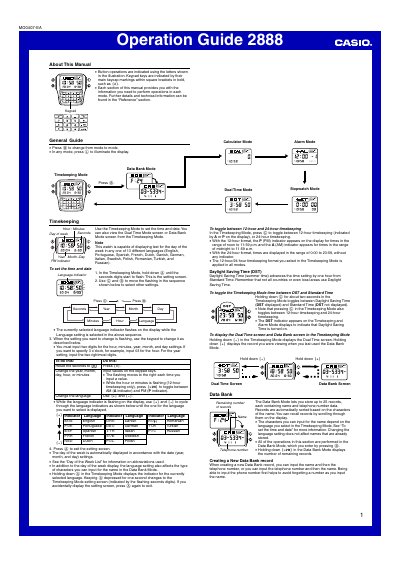
This is the Casio Operation Guide for watch module 2888. It explains how to use the watch's modes, which are reached by pressing the mode button: Timekeeping, Data Bank, Calculator, Dual Time, Alarm and Stopwatch. The Timekeeping section covers setting the time and date, 12-hour and 24-hour formats, Daylight Saving Time, and selecting the day-of-week language from 13 available languages.
The Data Bank section explains storing up to 25 name and telephone number records, including character input, editing, sorting and deleting. The Calculator section describes arithmetic calculations, currency conversion, and turning the input tone on or off. Further details and technical information are said to be found in the "Reference" section of the manual.
| Data Bank capacity | Up to 25 records |
|---|---|
| Name length | Up to 8 characters |
| Telephone number length | Up to 18 digits |
| Day-of-week languages | 13 languages |
| Calculator value range | 8 digits positive, 7 digits negative |
The Data Bank Mode lets you store up to 25 records, each containing name and telephone number data.
In the Timekeeping Mode, press the light button to toggle between 12-hour and 24-hour timekeeping. The format you select is applied in all modes.
Hold down the light button for about two seconds in the Timekeeping Mode to toggle between DST and Standard Time. The DST indicator appears when Daylight Saving Time is on.
Display the record in the Data Bank Mode, hold down the adjust button until the flashing cursor appears, then press the two upper buttons at the same time to delete the record.