
This product is a car recorder with the following features: 1. Dual lens, can shoot front and rear images at the same time; 2. Built-in GPS module, can record vehicle location information; 3. Support gravity sensing, can record abnormal conditions.
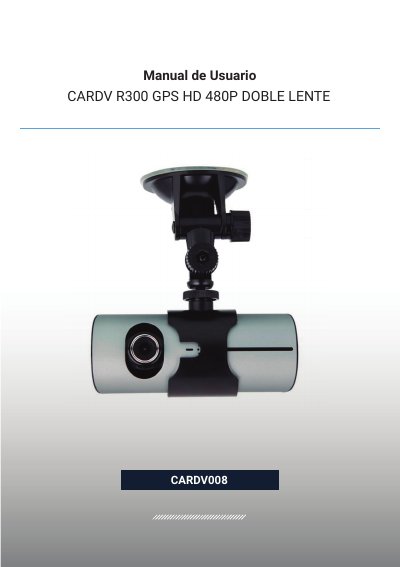
This manual (Manual de Usuario) covers the CARDV008 CARDV R300, a dual-lens car travel recorder. It records video from the front and rear of the vehicle at the same time, includes a GPS module to log the vehicle's location, and a G-sensor (gravity sensor) that records data so abnormal events during driving can be reviewed later on a computer.
The document describes the product's buttons and connectors, battery charging (about 240 minutes from empty), micro SD card insertion and formatting, power on/off, recording and playback modes, the system settings menu (video mode, time setup, formatting, NTSC/PAL, languages, G-sensor sensitivity, 50/60 Hz frequency, factory reset), and the PC software used to view footage, select camera channels, save or delete files, and follow the trip route on Google Maps. The camera itself has no USB connection, so files are accessed by removing the micro SD card and using a card reader. This manual is written in Spanish.
| Screen size | 2.7" (16:9) |
|---|---|
| Front lens viewing angle | 140° |
| Rear lens viewing angle | 120° |
| Languages | English / Russian / Chinese |
| Video format | AVI |
| Memory card slot | Micro TF |
| Microphone | Built-in |
| TV output | NTSC/PAL |
| Power supply | DC 5V |
| Battery | Lithium battery |
| Minimum system requirements | Windows 2000/XP/Vista/Windows 7, MAC OS above 10.3.6 |
A full charge from an empty battery takes about 240 minutes; the indicator light stays red while charging and turns off when finished.
The camera has no USB connection, so you must remove the micro SD card and use a card reader to access the recordings on a computer.
Access the menu and select the language option (R3bLK) to switch to English.
If an error occurs due to improper operation, press the reset button to restore the factory default values.