
This is a Bluetooth headset with the following features: 1. Good sound quality, 2. Comfortable to wear, 3. Long battery life.
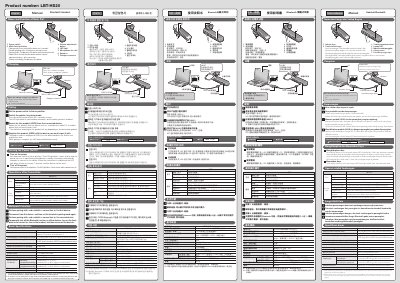
This is the user manual for the HS20 Bluetooth headset. It explains how to charge the headset, turn the power on and off with the power switch, and how the LED light and sound alerts indicate charging status and low battery. The manual is printed in several languages, with English, Korean, Chinese and Indonesian versions of the same instructions.
Pairing instructions describe switching the headset to pairing mode by holding the multi-function button for 3 seconds or more, then selecting "HS20" from the device list of a smartphone, tablet or mobile phone and entering the pass code 0000. The manual also covers operations after connection, the multipoint function for two devices, the name and function of each part, call and music controls, and basic specifications such as Bluetooth version, talk time, standby time, dimensions and weight.
| Communication method | Bluetooth standard version 4.0 |
|---|---|
| Output / max. communication distance | Bluetooth power class 2, approx. 10 m when unobstructed |
| Used frequency band / spread spectrum | 2.4 GHz / FHSS |
| Supported Bluetooth profiles | HFP, HSP, A2DP, AVRCP |
| Number of allowable paired devices | 8 |
| Max. continuous conversation time | Approx. 6 hours |
| Max. continuous standby time | Max. 120 hours |
| Power source | 5 V (supplied by USB) |
| Built-in battery | Lithium polymer rechargeable battery |
| Input terminal | Micro USB (for charging) |
| Dimensions (W x D x H) | Approx. 16 × 12 × 58 mm (excluding protrusions) |
| Weight | Approx. 10 g |
| Operating temperature/humidity | 5°C to 35°C / 20% to 80% (without condensation) |
| Storing temperature/humidity | -10°C to +40°C / 20% to 80% (without condensation) |
Turn the power switch on and press the multi-function button for 3 seconds or more. The LED light then blinks red and blue alternately and pairing mode is enabled.
The pass code is 0000 (four zeros), and the device name shown in the search list is HS20.
Every 10 seconds the LED light blinks twice in red and a sound is generated.
Pair and connect the first device, disconnect from it, set the headset to pairing mode again and then pair and connect the second device.