
This document is an installation guide for the Avigilon H4 PTZ camera. The camera features 1080p resolution, 30x optical zoom, infrared night vision, and weatherproofing.
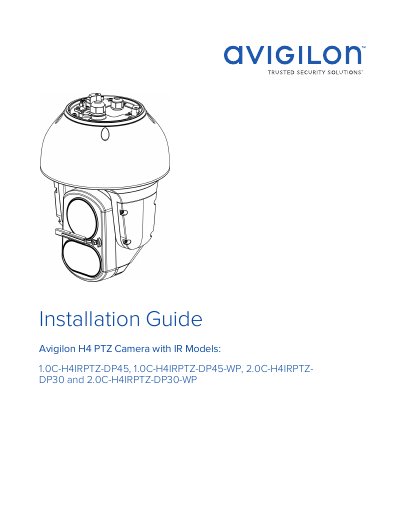
This installation guide covers Avigilon H4 PTZ cameras with IR, models 1.0C-H4IRPTZ-DP45, 1.0C-H4IRPTZ-DP45-WP, 2.0C-H4IRPTZ-DP30 and 2.0C-H4IRPTZ-DP30-WP. It describes the camera views, pendant wall and NPT mounts, installation steps, cable connections and securing the camera.
It also covers microSD card storage, assigning an IP address, accessing the live video stream, connecting power and external devices, home preset position settings, the connection status LED, factory reset, ARP/Ping IP setup, cleaning and specifications. Safety and regulatory notices are included.
| Auxiliary power input | 24 VAC ±10%, 105 VA min.; 24 VDC ±10%, 75 W min. |
|---|---|
| Power supply requirement | UL Listed power unit marked Class 2, LPS or Limited Power Source |
| Power over Ethernet | Microsemi PD-9601G/AC PoE mid-span injector |
| Network environment | Network Environment 0 per IEC TR62101 |
| PoE network requirement | IEEE 802.3at |
| Onboard storage | microSD card slot for onboard storage |
| IR illuminators | High-powered infrared LEDs with variable field of view |
| Wiper | Available on -WP models; rotates 90° in both directions |
| NPT pipe entry | 3/4” NPT threaded hole |
| Audio input | Line level audio input on pink AUDIO_IN wire |
| Audio output | Line level audio output on light green AUDIO_OUT wire |
The camera can use 24 VAC ±10% at 105 VA minimum or 24 VDC ±10% at 75 W minimum through the auxiliary power wires.
It accepts a microSD card for onboard storage.
The wiper is available only on -WP models and rotates 90° in both directions to clean the lens and IR window.
Manually wash off dirt or fingerprints with hand soap or non-abrasive detergent, then dry with a microfiber cloth or non-abrasive fabric. The washer and wiper can also be activated from the camera web interface or video management software.