
This guide explains how to pair an Ingenico iCMP payment terminal with a smartphone.
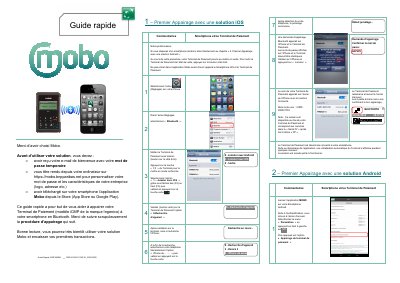
This quick guide explains how to pair an Ingenico iCMP payment terminal with a smartphone over Bluetooth for the Mobo solution from BNP Paribas. Before starting, the user must have received the welcome e-mail with a temporary password, have gone to https://mobo.bnpparibas.net from a computer to set a personal password and company details (logo, address, etc.), and have downloaded the Mobo application from the App Store or Google Play.
The guide walks through the first pairing with an iOS smartphone, the first pairing with an Android smartphone, and reconnecting a terminal that is already paired to an Android smartphone. It ends with additional information: waking the terminal with the button on its right side, switching it off with the yellow "<" key and the "-" key together, and where to download the full user guide or contact technical support. This manual is written in French.
| Model | iCMP |
|---|---|
| Brand | Ingenico |
| Smartphone connection | Bluetooth |
Turn Bluetooth on in the iPhone settings, switch the terminal on with the button on its right side, press F3, select "1 – Jumeler avec iOS" with the arrow keys and confirm with the green key, then confirm the identical pairing passwords on both devices.
Press the button on the right side of the terminal.
Press the yellow "<" key and the "-" key at the same time.
It is printed on the back of the payment terminal and matches the digits in the "Serial N°" after the two letters "PP".