
Key facts
- Manuals
- 5
- Languages
- EN
- Last added
- 2026-10-26
Featured Ingenico manuals
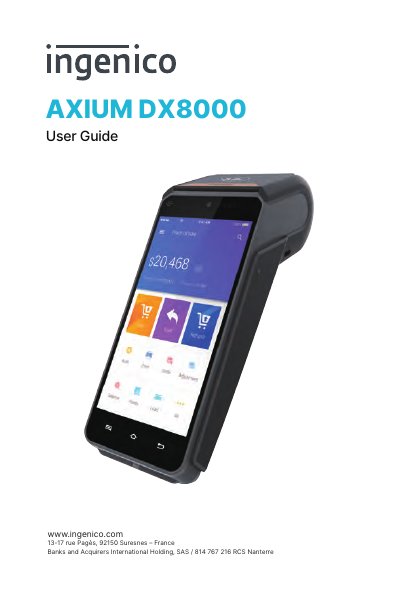
INGENICO AXIUM DX8000 User Guide
The document serves as a comprehensive user guide for the INGENICO AXIUM DX8000 terminal. It provides detailed instructions on key functions, including touch panel operation, card reading via USB Type-C, and the use of various modules like SAM1/SAM2 and MICR Memory Card Contents.
Additionally, the guide addresses installation procedures, safety standards, cleaning methods, transportation guidelines, and security recommendations to ensure proper handling and maintenance of the device.
Covers: Contents · Presentation · Keypad Functions · Touch Panel · Power On/Off · Reading cards
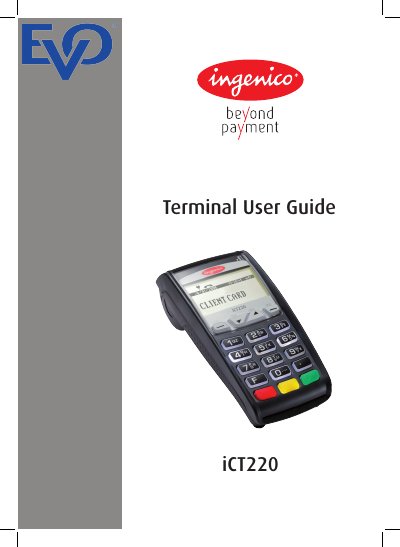
Ingenico iCT220 Terminal User Guide
This guide provides step-by-step instructions for installing and using the Ingenico iCT220 terminal, including safety precautions and transaction procedures. It covers card sales, refunds, cash advances, and end-of-day operations. Maintenance tips are included, such as cleaning the case and handling external cables safely.
The terminal includes an internal modem for connecting to the PSTN and supports specific data transfer protocols. Safety warnings emphasize avoiding tampering, moisture, and unauthorized modifications to ensure secure and reliable operation.
Covers: Introduction · Important Safety Instructions · Declaration of Conformity · Installing the Terminal · Using the Terminal · Sale (Inserting a Card)
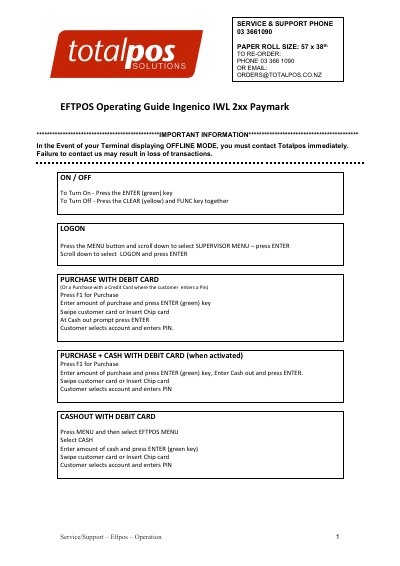
Ingenico IWL 2xx EFTPOS Operating Guide
This guide explains how to operate the Ingenico IWL 2xx EFTPOS terminal, including logging in, processing purchases and refunds, handling offline transactions, and performing maintenance. It also covers troubleshooting common issues like printer offline errors and pinpad faults.
The guide includes step-by-step instructions for various transaction types, such as debit and credit card purchases, cashouts, and pre-authorizations. It also provides contact information for support and paper roll ordering.
Covers: Logging In · Processing Purchases · Processing Refunds · Offline Mode · Settlement Cutover · Printer Maintenance
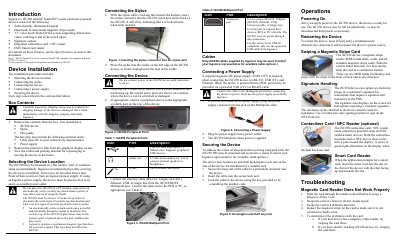
Ingenico iSC250 and iSCTouch250 Secure Electronic Payment Device Installation Guide
The document provides an introduction to the Ingenico iSC250 and iSCTouch250 secure electronic payment devices. It details the device components, including the ADA-friendly keypad, dual-head magnetic stripe reader, touch screen, signature capture, and contactless/NFC capabilities.
Installation instructions cover selecting a suitable location away from magnetic interference, connecting the stylus, attaching peripheral cables to the multipoint port, powering the unit via an Ingenico supply or POS system, and securing the device using a Kensington lock.
Covers: Introduction · Box Contents · Connecting the Stylus · Selecting the Device Location · Connecting the Device · Cables
Latest Ingenico manuals
INGENICO AXIUM DX8000 User Guide
User Manual 32 pages · 5.8 MB · ENThis user guide covers the usage, installation, maintenance, and security recommendations for the INGENICO AXIUM DX8000 terminal.
Ingenico iCT220 Terminal User Guide
User Manual 34 pages · 1.2 MB · ENUser guide for the Ingenico iCT220 terminal covering installation, safety, transaction processing, and maintenance.
Ingenico IWL 2xx EFTPOS Operating Guide
User Manual 4 pages · 463 KB · ENOperating guide for Ingenico IWL 2xx EFTPOS terminals, covering transactions, offline mode, and maintenance.
Ingenico iSC250 and iSCTouch250 Secure Electronic Payment Device Installation Guide
Installation Guide 2 pages · 330 KB · ENThis guide covers the installation, connection, and basic operation of Ingenico's iSC250 and iSCTouch250 secure electronic payment devices.
Ingenico Link/2500 Credit Card Reader Easy Setup Guide
User Manual 15 pages · 972 KB · ENThis guide provides step-by-step instructions for unboxing, charging, and configuring the Ingenico Link/2500 credit card reader for triPOS Cloud.
Which document do I need?
User Manual
Day-to-day operation, settings and troubleshooting. Start here if the product is already set up.
Installation Guide
Mounting, wiring and first power-up. Read it before the hardware goes in.
Questions answered in Ingenico manuals
What should you do if the terminal displays 'Alert Irruption!'?
You should contact the terminal helpdesk immediately.
What is the maximum REN value for devices connected to the PSTN line?
The total REN values should not exceed the maximum REN value 4.0.
What should I do if the terminal displays OFFLINE MODE?
Contact Totalpos immediately. Failure to do so may result in loss of transactions.
How do I turn the terminal on or off?
To turn on, press the ENTER (green) key. To turn off, press the CLEAR (yellow) and FUNC key together.
How do I restart the iSC250 device?
Press [Clear] and [-] simultaneously, or disconnect and reconnect the power source.
From: Ingenico iSC250 and iSCTouch250 Secure Electronic Payment Device Installation Guide
What should I avoid when placing the iSC250?
Do not place it on a PC monitor, near active security tag deactivation systems, or within 12 inches of such pads.
From: Ingenico iSC250 and iSCTouch250 Secure Electronic Payment Device Installation Guide