
HBC-200/BCH-1000 Bone Conduction Bluetooth Headphones User Manual
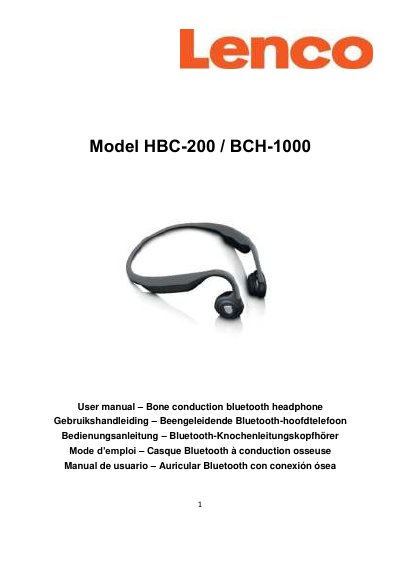
The HBC-200/BCH-1000 is a bone conduction Bluetooth headphone worn around the neck with speakers touching the frontal earbones, leaving the ear canals open. This manual covers safety precautions, package contents, product overview, Bluetooth pairing, charging, wearing instructions, LED status indicators, and troubleshooting.
The headphone supports Bluetooth V5.0 with AVRCP1.6, A2DP1.3, HFP1.7, and HSP1.2 protocols. It offers up to 8 hours of use time, up to 10 days of standby, and a connection range of about 10 meters. The package includes the headphone, a Micro-USB cable, a user manual, a storage bag, noise reduction silicone earplugs, and a silica gel regulator.
| Usage time | Up to 8 hours |
|---|---|
| Charging time | 2 hours |
| Standby time | Up to 10 days |
| Connection range | ~10 m |
| Bluetooth version | V5.0 |
| Bluetooth protocol | AVRCP1.6, A2DP1.3, HFP1.7, HSP1.2 |
| Speaker type | Bone conduction |
| Speaker sensitivity | 100 ± 3db |
| Microphone sensitivity | -40 ± 3db |
| Weight | 39g / 1.37 oz |
Press and hold the multi-function key for 5 seconds and release when you hear "Power on, Enter pairing". Then select "HBC-200/BCH-1000" in your phone's Bluetooth settings.
Up to 8 hours of use time, with up to 10 days in standby mode.
Connect the Micro-USB port to a wall charger or PC using the supplied Micro-USB cable. The LED is red while charging and turns solid blue when fully charged.
Yes, when connected to an Apple iOS device, short press the multi-function key to start Siri.