
This document is about how to use Yamaha wireless speakers. It describes how to connect the speaker to a Bluetooth device and how to play music files.
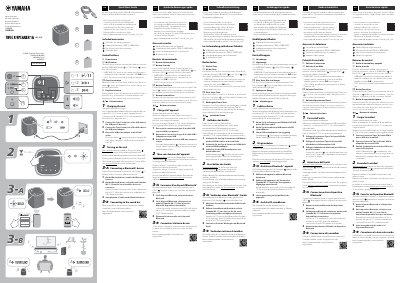
This multilingual quick start guide is for the Yamaha WS-X1A wireless speaker (True X Speaker 1A). It covers included accessories, control buttons, charging, power-on, Bluetooth connection, and use with a Yamaha sound bar.
It also explains Surround and Solo modes, Clear Voice, playback and volume controls, and battery level indication. More detailed operation is available in the User Guide through the URL given in the document.
| Charging input | DC 5 V, 2 A or more |
|---|---|
| Charging connector | USB Type-C |
| Charging cradle | Yamaha CC-T1A (sold separately) |
Connect the Type-C end of the USB cable to the unit, connect the Type-A end to a USB power adapter that outputs DC 5 V and 2 A or more, then plug the adapter into an AC wall outlet.
Press the Play/Pause button twice quickly to skip to the next song, or three times to go back to the beginning of the current or previous song.