
The I22-1031 is a 22-inch touchscreen that supports multiple protocols, including BACnet IP, BACnet MS/TP, Modbus RTU, Modbus TCP, SNMP, OPC, XML-DA, MBus_EnergyMeter_EN, MBus_EnergerMeter, MBus_WaterMeter, Otis Elevator BA Interface, DLT645-1997, DLT645-2007, Modbus PM800, Modbus_DAIKIN_IRACC, DAIKIN_DRCH-R5, EMERSON_ACM03U1, Hitachi_Chiller, Mitsubishi Melsec_Q_TCP, OMRON_FINS_UDP, LS_GM_GLOFA_Enet, Siemens S7-1200 Network, KNXnetIP_MultiCast, and Lutro.
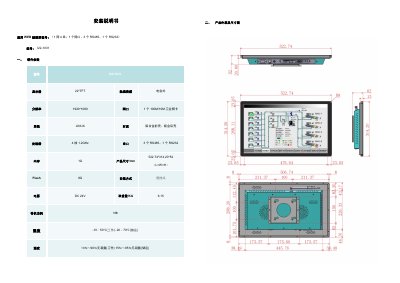
This manual provides installation and usage instructions for the XunRao I22-1031, a 22-inch industrial touch screen featuring a 4-core 1.2GHz processor, 1GB RAM, and 8GB Flash. The device supports a Linux system and includes one Ethernet port, three RS485 ports, and one RS232 port. This manual is written in Chinese.
| Display Size | 22'' TFT |
|---|---|
| Touch Type | Capacitive |
| Resolution | 1920*1080 |
| Processor | 4 core 1.2GHz |
| Flash | 8G |
| Power Supply | DC 24V |
| Operating Temperature | -10~50℃ |
The factory default IP address is 192.168.1.88.
The username is admin and the password is admin123456.
Use a tool to press the button inside the FUN hole to hear a sound, which restores the default IP.