
Key facts
- Manuals
- 1
- Languages
- ZH
- Last added
- 2026-10-12
Featured 迅饶 manuals
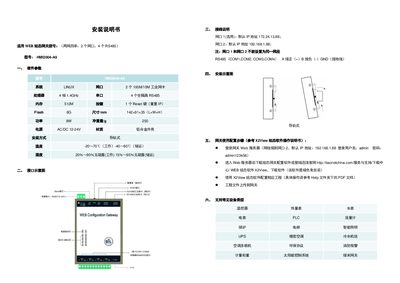
Xunrao HMI2004-A9 Gateway Installation and Configuration Guide
The document is an installation guide for the Xunrao HMI2004-A9 WEB-configurable gateway. It details hardware specifications including a 1.4GHz quad-core processor, 512M RAM, and 8G Flash storage housed in an aluminum alloy case with rail mounting. The device features two 100M/10M Ethernet ports and four isolated RS485 serial ports. This manual is written in Chinese.
Covers: Hardware Parameters · Interface Diagrams · Wiring Instructions · Installation Method · Configuration Steps · Supported Device Types
Latest 迅饶 manuals
Xunrao HMI2004-A9 Gateway Installation and Configuration Guide
User Manual 2 pages · 269 KB · ZHThis manual provides installation, wiring, configuration steps via X2View software, supported device protocols, and troubleshooting for the Xunrao…
Which document do I need?
User Manual
Day-to-day operation, settings and troubleshooting. Start here if the product is already set up.
Questions answered in 迅饶 manuals
What is the default IP address for Port 2?
The default IP address for Port 2 is 192.168.1.88.
From: Xunrao HMI2004-A9 Gateway Installation and Configuration Guide
How do I reset the gateway if I forget the IP?
Long press the Reset button until the device beeps ('嘀嘀嘀'), which restores the default IPs.
From: Xunrao HMI2004-A9 Gateway Installation and Configuration Guide