
This document is about the installation instructions of the touch screen, which mainly introduces the hardware parameters, size diagram, wiring instructions, how to login to the touch screen web server, and the touch screen usage configuration steps.
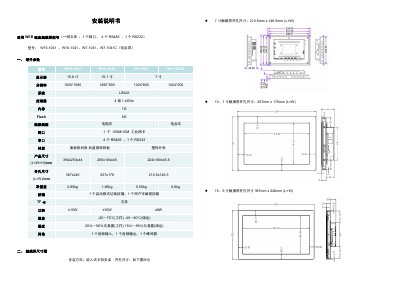
This guide covers installation and configuration for Xunrao’s WEB touchscreen models, including hardware specifications, mounting dimensions, wiring instructions, IP address setup, and login to the web server. It also details supported communication protocols and device types for integration. Common troubleshooting steps are provided for IP configuration and file management. This manual is written in Chinese.
| Display Size | 15.6 inch, 10.1 inch, 7 inch |
|---|---|
| Resolution | 1920*1080, 1280*800, 1024*600 |
| Processor | 4-core 1.4GHz |
| Flash | 8G |
| Touch Type | Resistive or Capacitive |
| Power Supply | AC/DC 12~24V |
| Default IP | 192.168.1.88 |
| Operating Temperature | -20~70℃ |
| Humidity | 20%~90% (no condensation) |
The default IP address is 192.168.1.88.
The supported models are W15-1041, W10-1041, W7-1041, and W7-1041C.
The power supply is AC/DC 12~24V.
The login username is admin and the password is admin123456.