
K90 Professional Video Light is a LED professional photography light produced by Pixel Company. It is controlled by a microcomputer chip, has a display screen, and its output power is steplessly adjustable. Its color temperature is 5600K, and it has dual color temperature 3200K/5600K and safe isolated DC voltage supply. It can be hung on a camera battery, which is convenient for outdoor shooting. It has a built-in temperature protection circuit and a natural cooling system.
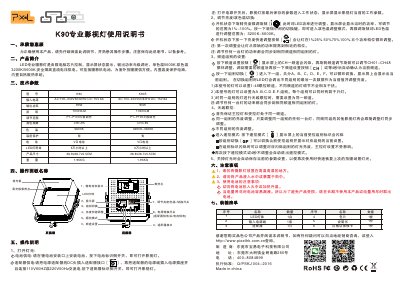
The Pixel K90 and K90S are professional LED photography lights controlled by an MCU, with a display for status, output power, and adjustment. The manual explains powering by adapter or V Type Battery, brightness and color temperature adjustment, and channel and group settings.
It also describes wireless linked control for lights set to the same channel and group, precautions for high temperature, humidity, water, and battery use, plus the package contents. The document is provided in Chinese and English.
| Input Power | AC 100-240 V, 50/60 Hz; DC 15 V, 6 A |
|---|---|
| Output Power | 90 W |
| Lumen | 10,400 LM |
| Adjust Range | P1-P100 stepless adjust |
| Color Rendering Index | CRI > 95 |
| Color Temperature | K90: 5600K; K90S: 3200K-5600K |
| Battery | V Type Battery |
| LED Life | 50,000 hours |
| Dimensions | 28.9 x 28.7 x 5.5 cm |
| Net Weight | 1.95 kg |
| Temperature Protect | Yes |
Plug the DC adapter into the adaptor socket, connect its power cable to 110 V 60 Hz or 220 V 50 Hz AC, and press the adaptor icon power switch.
The light power can be adjusted from 1% to 100%.
Press the Channel Setting button so CH flashes, rotate the channel adjust button between CH01 and CH48, then press the button again or wait 4 seconds.
Yes; lights on the same channel and group synchronize to the same power setting.