
This document is the user manual of FORA TN’G Scale 550 weight scale.
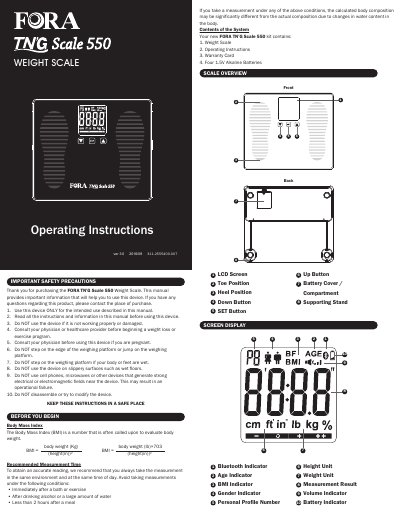
This manual guides users through setting up the FORA TN’G Scale 550, taking accurate weight and BMI measurements, and using Bluetooth to sync data with a mobile app. It includes safety precautions, battery replacement instructions, cleaning tips, and troubleshooting for common errors.
The scale supports five user profiles with customizable settings for gender, height unit, age, and voice language. Measurements are most accurate when taken on a hard, flat surface with dry feet, and results can be stored and transmitted wirelessly via Bluetooth.
Turn the scale on by pressing SET, then select a profile number (P1–P5), set gender, height unit, height, age, voice language, and volume using ▲ and ▼ buttons, then press SET to save.
If the weighing subject exceeds the maximum capacity, remove them from the platform. For other errors, contact local customer service.
Press and hold SET for 5 seconds until the Bluetooth symbol flashes, then open the iFORA WS APP, go to settings, press pair, and search for the scale.