
This is a manual that explains how to pay court fees online. The manual lists the steps required to pay the fees, including selecting the court, selecting the payment type, filling out the payment form, and paying the fees.
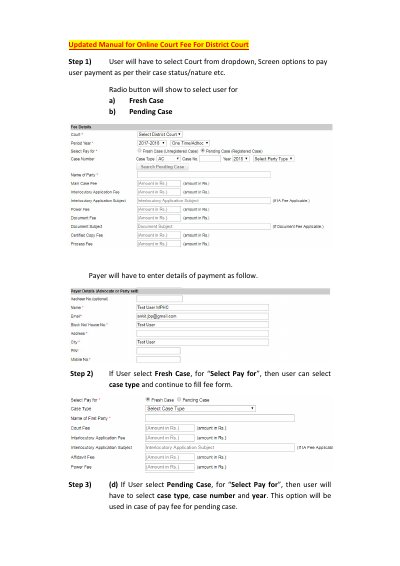
This guide explains how to use an online court fee payment screen for District Court cases. It describes selecting the court, choosing Fresh Case or Pending Case, entering fee and payer details, and searching for a pending case by case type, number and year.
The guide then follows the payment flow to the treasury website: selecting a bank, submitting the payment, entering a captcha, noting the CRN, completing net banking, and receiving a receipt plus email and SMS acknowledgement. It ends with instructions to print the acknowledgement and present it at the filing counter.
Select Fresh Case under “Select Pay for”, choose the case type, and continue filling the fee form.
Choose Pending Case, enter the case type, case number and year, then click “Search Pending Case” to display petitioner and respondent details.
Click OK to continue to the payment process.
An email and SMS acknowledgement is sent to the given email and mobile number.