
This is a product manual that introduces Celestron MicroDirect® 1080p HD Handheld Digital Microscope and stand
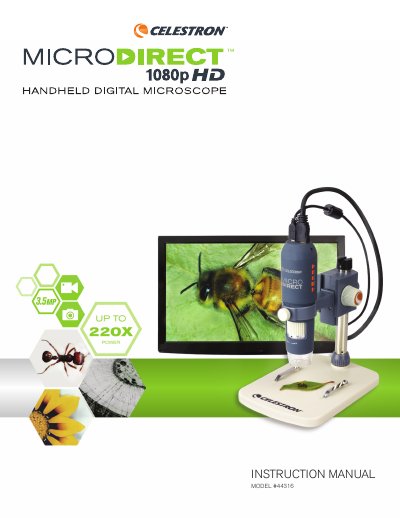
The Celestron MicroDirect 1080p HD Handheld Digital Microscope, model 44316, is a handheld digital microscope that connects directly to a TV monitor or projector through the included HDMI cable. The manual describes its parts, system requirements, specifications, stand assembly, and basic operation.
It explains how to connect the microscope, insert a Micro-SD card, take still images, review and download images, and adjust menu settings such as resolution, image quality, sharpness, exposure, date stamp, auto power off, language, and frequency. It also covers time-lapse capture and recording video through a PC.
| Sensor | 3.5 MP CMOS 1/3” high-speed sensor |
|---|---|
| Pixel Size | 2.2 µm x 2.3 µm |
| Still Image Capture Resolution | 14MP** (5120x2880), 8MP** (3840x2160), 5MP** (3072x1728), 3MP (2304x1296), 2MP (1920x1080), WVGA (848x480) |
| Video Capture Resolution | 720p (HD) and 640 x 480 (VGA) |
| Streaming Video Format | 1080p (1920x1080) at 30 fps with HDMI cable |
| Photo Format | JPEG |
| Magnification | 24x to 220x (based on 20” screen) |
| Focus Range (Manual) | 0mm to 35mm |
| Power | USB 2.0 (with compatible USB power OUT port); optional 120V power adapter (5V-1A) |
| Software Compatibility | Windows XP/7/8/10 |
| Weight | 1.3 lbs. / .59 KG (including stand) |
| Dimensions | Microscope: 155.6x42x42 mm (6.125”x1.5”x1.5”); Stand: 119x171.4x157 .2 mm (4.68”x6.75”x6.19”) |
Yes. The manual says it connects directly to a TV monitor or projector with the included HDMI cable, and there is no need for a computer.
It is mainly suited for examining specimens such as coins, stamps, rocks, electronics, insects, and other 3D objects.
The magnification is 24x to 220x based on a 20-inch screen.
Insert the Micro-SD card, press the Mode button to switch to playback mode, and use the Down button to view the previously captured image.