
Lutron PD-6WCL Caséta Wireless In-Wall Dimmer Quick-Start Guide

This is an installation guide that explains how to install a Caseta Wireless Dimmer.
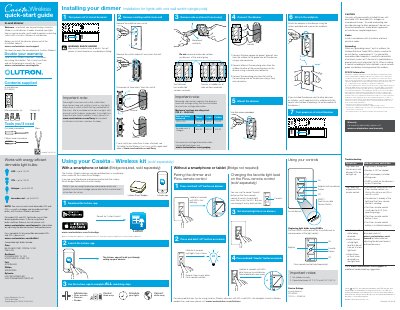

Lutron PD-6WCL Caséta Wireless In-Wall Dimmer Quick-Start Guide - cover page
Brand
Lutron
Category
Other Electronics
Document type
Quick Start Guide
Language
English
Pages
2
File format
PDF
File size
821 KB
Published
31 October, 2023
Updated
31 October, 2023
MD5 checksum
AD8A7455F039BD533256CF940900B80A

About this manual

This quick-start guide covers installing the Lutron PD-6WCL Caséta Wireless in-wall dimmer in a single-pole application, including wiring, mounting, and pairing with a Pico remote control.

It also lists compatible bulb types and wattage limits, troubleshooting symptoms, device ratings, and safety and code notes.

What's inside

  • Contents supplied
  • Tools you’ll need
  • Installation for lights with one wall switch (single pole)
  • Installing your dimmer
  • Pairing the dimmer and Pico remote control
  • Changing the favorite light level on the Pico remote control
  • Replacing light bulbs using FASS
  • Troubleshooting
  • Device Ratings

Specifications

Rated voltage/frequency120 V, 50/60 Hz
Maximum wattage (LED and CFL)150 W
Maximum wattage (incandescent and halogen)600 W / 500 W / 400 W
Operating temperature32 to 104 °F (0 to 40 °C)
Installation locationIndoor use only
Pico remote operating range30 ft (9 m)
Default favorite light level50%

Frequently asked questions

What is the maximum wattage for LED and CFL bulbs?

The dimmer supports LED and CFL loads up to 150 W.

What is the operating temperature range?

The dimmer operates between 32 °F (0 °C) and 104 °F (40 °C).

How far can the Pico remote control operate?

The Pico remote control has a 30 ft (9 m) operating range.

What is the default favorite light level?

The favorite button is preset to 50%.

Download PDF (821 KB)

More Lutron Manuals


View all Lutron manuals →