
ET3 CD transport user manual, including product introduction, installation and use, troubleshooting and other contents.
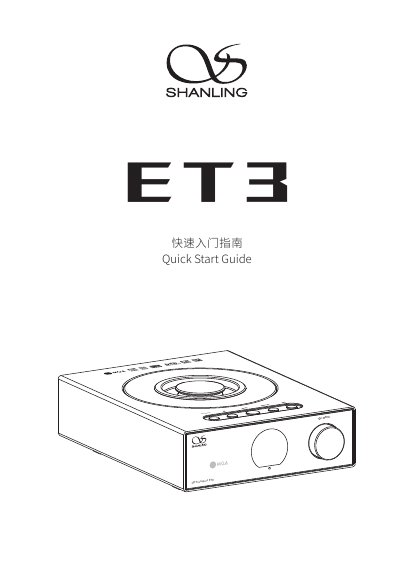
Shanling ET3 is a CD transport with optical, coaxial, AES/EBU, USB audio, and I2S digital outputs. This quick start guide covers safety precautions, panel and remote controls, basic playback, source selection, menu settings, USB and Bluetooth playback, SyncLink and WiFi connection, MQA indication, I2S pin definition, firmware upgrade, and technical parameters.
It also documents supported USB file formats, storage capacity, sample-rate limits, power consumption, dimensions, weight, and included accessories. This manual is written in Chinese.
| CD servo system | Philips SAA7824 servo |
|---|---|
| Disc compatibility | CD; CD-R; CD-RW |
| Optical output | Maximum 192kHz/24bit |
| Coaxial output | Maximum 192kHz/24bit |
| AES/EBU output | Maximum 192kHz/24bit |
| USB audio output | Maximum 768kHz/32bit; DSD512 |
| I2S output | Maximum 768kHz/32bit; DSD512 |
| USB storage capacity | Up to 2TB |
| USB playback maximum sample rate | 768kHz and DSD512 |
| Supported USB file formats | DSD, DXD, APE, FLAC, WAV, AIFF/AIF, DTS, MP3, WMA, AAC, OGG, ALAC, MP2, M4A, AC3, OPUS, TAK; supports CUE |
| Power consumption | 15W |
| Dimensions (W x D x H) | 188 x 255 x 68mm |
| Net weight | About 2.5kg |
Press SOURCE on the player or INPUT on the remote to switch audio to CD, USB, or Bluetooth mode.
It supports DSD, DXD, APE, FLAC, WAV, AIFF/AIF, DTS, MP3, WMA, AAC, OGG, ALAC, MP2, M4A, AC3, OPUS, TAK, and CUE.
Switch to Bluetooth mode, search for and select “Shanling ET3” on the phone or iPad, then play music with a playback app.
Use OTA network upgrade after connecting to WiFi, or copy update.bin to a USB drive root and run local upgrade from System Settings.