
Sonoff T1 US(1C/2C/3C) is a touch switch that can be controlled by mobile phone via WiFi
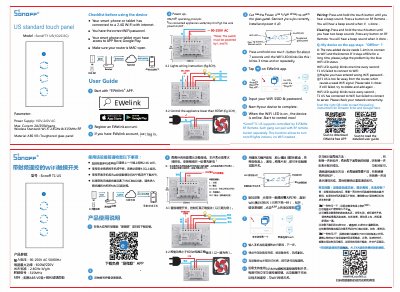
This document is the user manual for the Sonoff T1 US, a smart touch panel switch available in 1C, 2C, and 3C configurations. It operates on a power supply of 100V-240V AC with a maximum current of 2N2 50V/gang and supports Wi-Fi 2.4GHz and 315MHz RF standards. The device is made of ABS VO+ tempered glass panel material.
| Max Current | 2N2 50V/gang |
|---|---|
| Wireless Standard | Wi-Fi 2.4GHz & 315MHz RF |
| Material | ABS VO+ Tempered glass panel |
| Controlled Power | less than 600 W |
Press and hold the touch button until you hear a beep sound, then press a button on the RF Remote.
It means the T1 US failed to connect to WiFi, possibly due to a wrong password or weak signal.