
How to adjust the self-vent hole
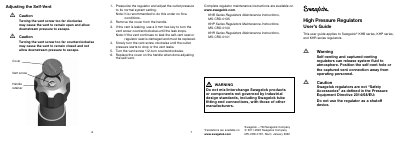
This Swagelok user's guide applies to KHB series, KHP series, and KHR series high pressure regulators. It covers self-vent adjustment, installation, and operation of back-pressure and pressure-reducing regulators.
The document includes cautions about vent screw adjustment, mounting and panel cutout dimensions, system flushing and filtration, and leak checking. Full maintenance instructions are available on the Swagelok website.
| Mounting holes | two M5 (10-32) mounting holes |
|---|---|
| Panel cutout minimum diameter | 2.00 in (50.8 mm) or 2.25 in (57.2 mm) |
| Initial self-vent adjustment pressure | greater than 6 000 psig (413 bar) |
Pressurize the regulator, remove the cover, use a 3 mm hex key to turn the vent screw, then turn it 1/2-turn counterclockwise and replace the cover.
The self-vent seat or regulator seat is damaged and must be replaced.
Rotate the handle clockwise to increase the outlet or control pressure.