
This guide introduces how to troubleshoot sewer auxiliary metering system.
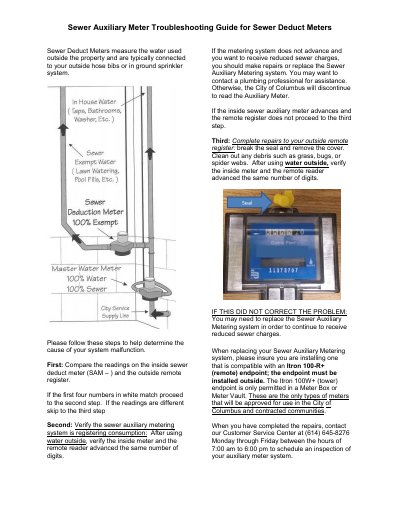
This troubleshooting guide explains how sewer deduct meters measure outdoor water use and walks through checks for system malfunctions. It describes comparing the inside sewer deduct meter reading with the outside remote register, verifying that both advance after outdoor water use, and cleaning debris from the remote register if readings differ.
If those steps do not correct the problem, the guide covers replacing the Sewer Auxiliary Metering system. Replacement must use a remote endpoint compatible with an Itron 100-R+ installed outside; the Itron 100W+ tower endpoint is only permitted in a Meter Box or Meter Vault. After repairs, users are directed to call the Customer Service Center to schedule an inspection.
| Compatible endpoint | Itron 100-R+ (remote) |
|---|---|
| Endpoint installation location | Outside |
| Tower endpoint permitted location | Meter Box or Meter Vault |
| Approved use area | City of Columbus and contracted communities |
Skip to the third step and complete repairs to the outside remote register.
Proceed to the third step to repair the outside remote register.
Use a remote endpoint compatible with an Itron 100-R+; it must be installed outside.
Call the Customer Service Center at (614) 645-8276 Monday through Friday, 7:00 am to 6:00 pm.