
This is the manual for SAILOR SC4000 IRIDIUM
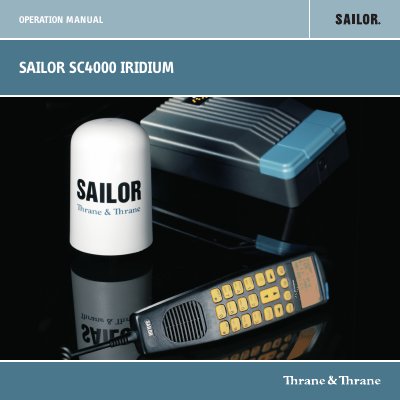
This operation manual covers the Iridium SAILOR SC4000 equipment, a modular system made up of a transceiver unit, control handset unit, antenna unit and an optional analogue PSTN telephone/PABX. Up to four handsets and one analogue PSTN telephone or PBX switchboard can be connected, and the system provides intercom between handsets and the analogue telephone. Through the data port on the transceiver, the unit can be used as a data modem for dial-up data calls, Internet access, SMS and E-mail messaging.
The manual explains how to operate a control handset, an analogue telephone and the transceiver as a data modem. Instructions are divided into basic operation (handset states, PIN code, making, answering and transferring calls) and advanced functions (menu system, phone book, redialling, security lock, users, call log, display and billing settings, SIM card handling, ringing tone, extension, call forwarding and barring, voice mail, software version and resetting), followed by analogue telephone use and appendices on tone signalling and the function menu overview.
| Maximum handsets per system | 4 |
|---|---|
| Minimum antenna distance for FCC RF exposure compliance | 0.61 m (2 feet) |
| Supported transceiver software version | 05.07.00 or higher |
| Supported transceiver hardware version | mk4 |
| Iridium satellite network size | 66 satellites |
| Default PSTN/PABX extension number | 1000 |
| Default handset extension numbers | 1001 to 1004 |
| Document number | B4150GB0, Issue G/0641 |
Hook off, key 00 as the prefix for automatic call, then the country code, area code and subscriber number, and confirm with #.
The SIM card will be blocked and you will have to enter the PUK code supplied with the SIM card to unblock it.
Up to four handsets can be connected to the system.
For FCC RF exposure compliance, the antenna must be installed at a minimum distance of 0.61 m (2 feet) away from all persons.