
Quick start guide for the Iridium PotsDOCK 9555 satellite phone cradle with installation, power, Bluetooth, and privacy handset setup instructions.
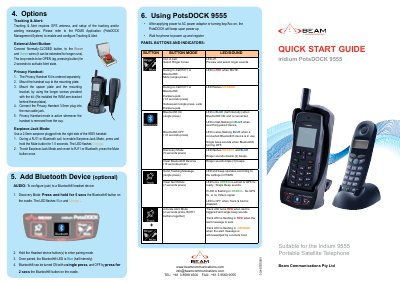
This guide explains how to install and operate the Iridium PotsDOCK 9555 cradle for the Iridium 9555 satellite phone. It covers power connection, Bluetooth pairing, privacy handset mounting, and operational modes like tracking & alert and earpiece-jack mode. The document also details panel buttons, indicators, and wiring requirements for antennas and power.
Instructions include mounting the base plate, connecting power and antennas, configuring Bluetooth devices, and using the USB data port. It warns against using the handset’s USB port while docked and specifies firmware requirements for the 9555 handset.
The Iridium 9555 handset requires firmware HT10001 or greater.
The PotsDOCK can be connected to a 9-32V DC input.
The Alert Loop button must be pressed for 2 seconds to activate Alert Mode.
The Track LED flashes in ORANGE when the alert message is acknowledged by a remote host.