
This manual introduces the application, use instructions, installation and maintenance of the iRidium KNX Server product.
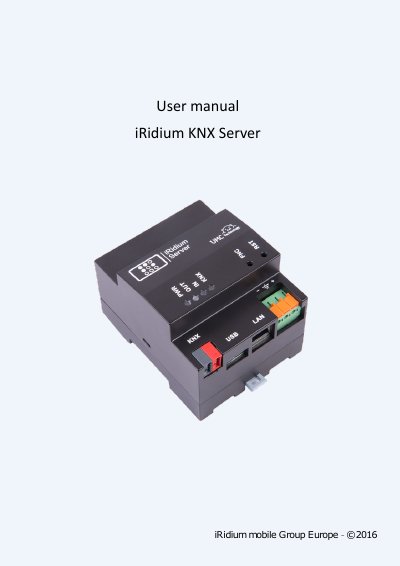
This operating manual covers the iRidium KNX Server communication controller YAVR.421459.001 from iRidium mobile Group Europe. It is written for professionals who install and maintain the product and describes the technical characteristics, the design of the controller and how it communicates, along with the safety requirements that apply when working with it. Configuration of the controller itself is covered in a separate programming instruction.
The manual explains that the controller continuously monitors and manages KNX-bus network devices through the iRidium Server software, and that it is mounted in a cabinet on a DIN-rail and connected to the KNX bus, 220V power and Ethernet. It then goes through package contents, LED indicators and connectors, safety measures, mounting on a 35mm rail, operating instructions, transportation and storage, warranty terms, restoring factory default network settings with the FNC and RST buttons, and a troubleshooting table for the PWR, KNX and LAN LEDs.
| Supply voltage | 24V DC (from 12V to 30V) |
|---|---|
| Rated electric power | 2.5W |
| Operating temperature | From +1 to +40 C |
| Dimensions | 72mm x 94mm x 61mm |
| Weight | 0.25 kg |
| Mounting rail | DIN-rail 35mm x 7.5mm EN 50022 |
| Ethernet | 10/100 BASE-T |
It provides control and monitoring of the status of devices connected via a KNX bus, working through the iRidium Server software.
Press and hold the FNC button, press and release the RST button, and wait 30 to 60 seconds for the OS to load without releasing FNC; both IN and OUT LEDs blink twice when the recovery succeeds.
The warranty period is 12 months from the date of commissioning (sales).
It must be installed inside an electrical cabinet on a DIN-rail 35mm x 7.5mm EN 50022, in a vertical operating position.