
A quick start guide for the Iridium 9555 satellite phone covering charging, SIM setup, voice mail configuration, SMS sending, and making calls.
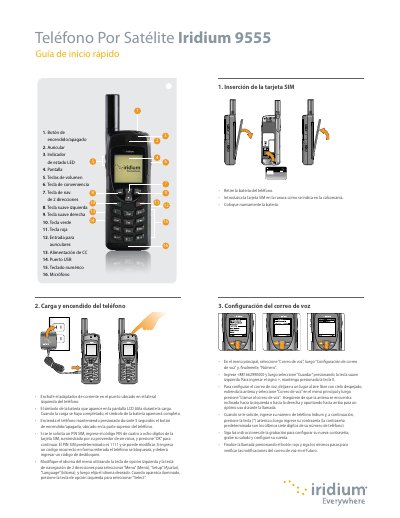
This document serves as a quick start guide for the Iridium 9555 satellite phone. It provides step-by-step instructions on how to charge and power on the device, insert the SIM card, and configure essential settings such as language and voice mail numbers.
The guide also details procedures for sending text messages (SMS) and making calls using the included antenna. Additional tips are provided regarding battery maintenance and optimal usage conditions in outdoor environments. This manual is written in Spanish.
You must hold the power button for 5 seconds to turn on the phone.
The default SIM PIN code is 1111.
The default password is the last seven digits of your Iridium phone number.