
GlobalMed Transportable Exam Station™ (Enterprise) Quick Start Guide

This Quick Start Guide provides an overview of the GlobalMed® Transportable Exam Station™ (TES) Enterprise, which is used for remote healthcare and clinical examinations in the field.
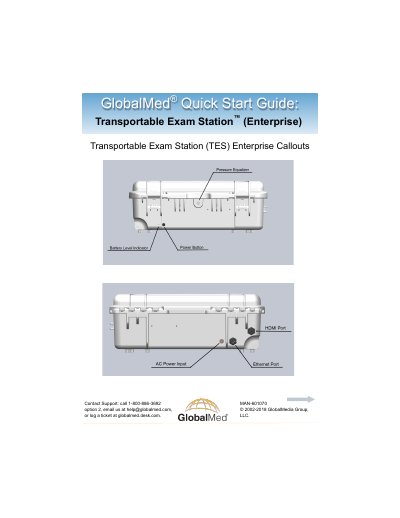

GlobalMed Transportable Exam Station™ (Enterprise) Quick Start Guide - cover page
Brand
GlobalMed
Category
Health Care
Document type
Quick Start Guide
Language
English
Pages
4
File format
PDF
File size
1.4 MB
Published
26 October, 2023
Updated
26 October, 2023
MD5 checksum
BA720E262EF890DC899DD9A857099743

About this manual

This guide helps users set up and operate the GlobalMed Transportable Exam Station™ (Enterprise). It covers initial power setup, battery charging, and WiFi hotspot configuration using the included Jetpack™ MiFi 6620L. The device must be charged overnight before first use and can operate on batteries for up to 8 hours. Support is available via phone, email, or ticketing system.

What's inside

  • Contact Support
  • WiFi Hotspot
  • Power
  • Battery
  • Surface Pro 4 Callouts

Frequently asked questions

How long does it take to fully charge the TES Extreme?

It takes 6-8 hours to fully charge the TES Extreme.

How long can the TES Extreme operate on its internal batteries?

The TES Extreme operates on its internal batteries for up to 8 hours, depending on device usage.

Download PDF (1.4 MB)

More GlobalMed Manuals


View all GlobalMed manuals →