
Key facts
- Manuals
- 3
- Languages
- EN
- Last added
- 2023-10-26
Featured GlobalMed manuals
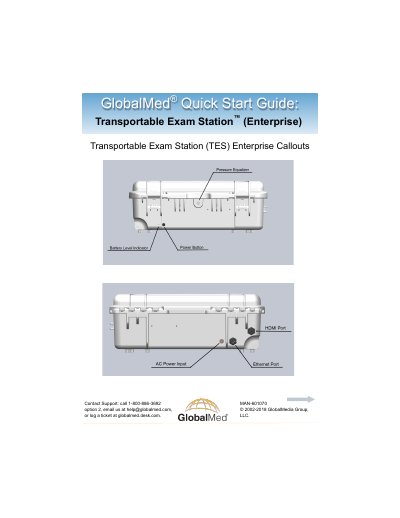
GlobalMed Transportable Exam Station™ (Enterprise) Quick Start Guide
This guide helps users set up and operate the GlobalMed Transportable Exam Station™ (Enterprise). It covers initial power setup, battery charging, and WiFi hotspot configuration using the included Jetpack™ MiFi 6620L. The device must be charged overnight before first use and can operate on batteries for up to 8 hours. Support is available via phone, email, or ticketing system.
Covers: Contact Support · WiFi Hotspot · Power · Battery · Surface Pro 4 Callouts
GlobalMed TotalECG 12-Lead ECG User Manual
This manual provides step-by-step instructions for installing the CardioVu software and preparing the system for first-time use. It details the SQL database installation process and the software installation steps. The guide also explains how to start an ECG stream and perform a study. A warranty section outlines return policies and limitations.
Covers: CardioVu Software Installation · Prepare System for First Time Use · Start ECG Stream · How to Perform a Study · Warranty
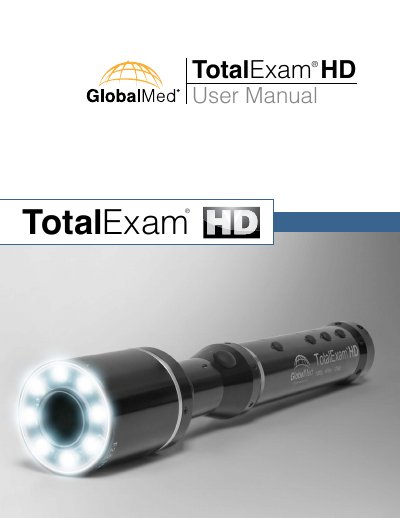
GlobalMed TotalExam HD User Manual
The GlobalMed TotalExam HD is a lightweight, durable telemedicine camera designed to acquire clear high-definition video. It features auto focus, auto white balance, and auto color balance, allowing users to view HD video at 1080p or 720p at 80 or 60 FPS. The device includes advanced technology for high-quality freeze frame images and selective exposure control.
Covers: Introduction · Warnings · Software and Hardware · What's Included · Specifications · Markings
Latest GlobalMed manuals
GlobalMed Transportable Exam Station™ (Enterprise) Quick Start Guide
Quick Start Guide 4 pages · 1.4 MB · ENQuick start guide for GlobalMed's Transportable Exam Station™ (Enterprise) with setup, power, and WiFi hotspot instructions.
GlobalMed TotalECG 12-Lead ECG User Manual
User Manual 18 pages · 9.5 MB · ENUser guide for GlobalMed's TotalECG 12-Lead ECG system, covering software installation, system setup, and study execution.
GlobalMed TotalExam HD User Manual
User Manual 15 pages · 985 KB · ENThis manual provides operating instructions, installation steps, and specifications for the GlobalMed TotalExam HD telemedicine camera.
Which document do I need?
Quick Start Guide
The shortest path to a working setup, usually only a few pages.
User Manual
Day-to-day operation, settings and troubleshooting. Start here if the product is already set up.
Questions answered in GlobalMed manuals
How long does it take to fully charge the TES Extreme?
It takes 6-8 hours to fully charge the TES Extreme.
From: GlobalMed Transportable Exam Station™ (Enterprise) Quick Start Guide
How long can the TES Extreme operate on its internal batteries?
The TES Extreme operates on its internal batteries for up to 8 hours, depending on device usage.
From: GlobalMed Transportable Exam Station™ (Enterprise) Quick Start Guide
What is the TotalECG 12-Lead ECG used for?
It is used to perform a 12-lead ECG study.
What is required before installing the CardioVu software?
The SQL Server 2012 Express database must be installed first.
What are the video resolution options for the TotalExam HD?
The device offers the option to view HD video in both 1080p or 720p.
What frame rates are supported by the TotalExam HD?
The camera supports 80 or 60 FPS (frames per second).