
Introduce how to get Enphase API Key
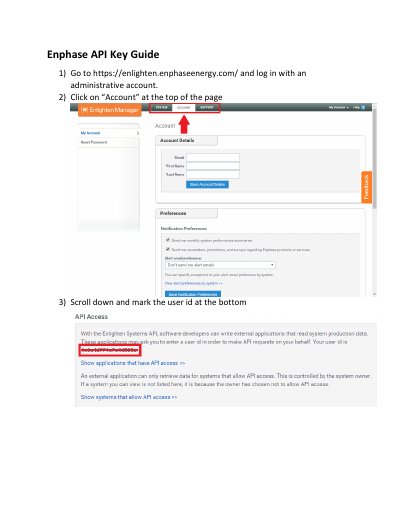
This guide explains how to generate an API key for Enphase Enlighten Systems. It requires logging into an administrative account, marking a user ID, and authorizing an application via an authorization URL. Once approved, the API key can be used to access system data.
The guide also includes steps for KSU (Kansas State University) to create and manage the application, and to confirm access after authorization.
Go to https://enlighten.enphaseenergy.com/, log in with an administrative account, click 'Account', scroll down, and mark the user ID at the bottom.
The API key authenticates external applications to read system production data via the Enlighten Systems API.
Go to the authorization URL provided by KSU, sign in to your account, and click the 'Allow access' button.