
Key facts
- Manuals
- 3
- Languages
- EN
- Last added
- 2023-10-21
Featured Enphase Energy manuals
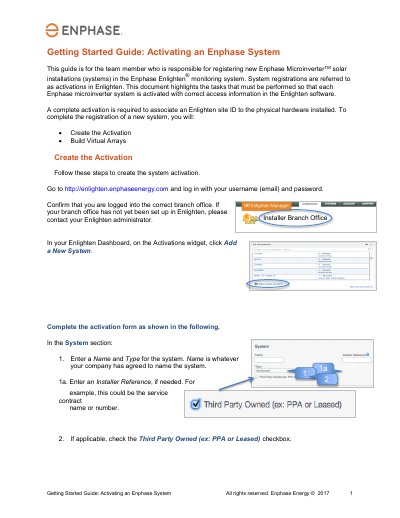
Enphase Energy System Activation Guide
This document serves as a Getting Started Guide for activating Enphase Microinverter systems within the Enlighten monitoring software. It outlines the specific tasks required to associate a site ID with physical hardware, ensuring correct access information is recorded. The guide is intended for team members responsible for registering new installations.
Covers: Getting Started · Create the Activation · Build Virtual Arrays · System Host Information · Location Details · Envoy Section
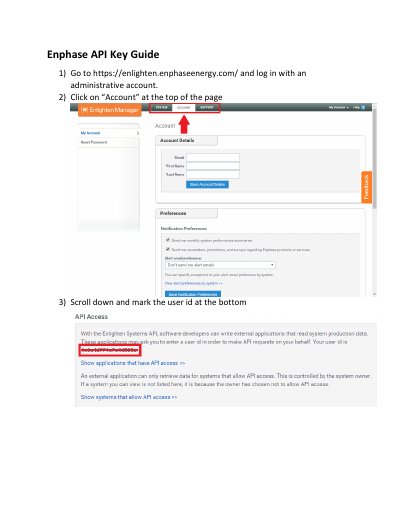
Enphase Energy API Key Guide
This guide explains how to generate an API key for Enphase Enlighten Systems. It requires logging into an administrative account, marking a user ID, and authorizing an application via an authorization URL. Once approved, the API key can be used to access system data.
The guide also includes steps for KSU (Kansas State University) to create and manage the application, and to confirm access after authorization.
Covers: Logging In · API Access · Application Creation · Authorization URL · Access Granted
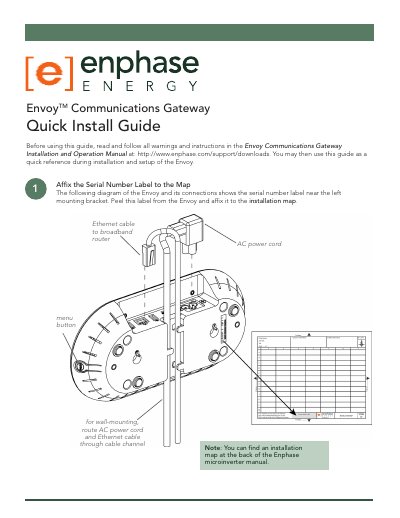
Enphase Energy Envoy Communications Gateway Quick Install Guide
This guide provides step-by-step instructions for installing and setting up the Envoy Communications Gateway. It covers registering the device, connecting Ethernet and power cables, finding a suitable location, and performing communication checks. Optional steps include using power line communication bridges and wall-mounting the device. Troubleshooting sections address common issues like internet connection problems and device detection delays.
Covers: Register the Envoy · Connect Ethernet and Power Cables · Find a Location for the Envoy · Add Power Line Communication Bridges (optional) · Mount the Envoy to the Wall (optional) · Check the Envoy’s Progress
Latest Enphase Energy manuals
Enphase Energy System Activation Guide
User Manual 4 pages · 505 KB · ENThis guide instructs team members on how to register new Enphase Microinverter solar installations in the Enlighten monitoring system.
Enphase Energy API Key Guide
User Manual 3 pages · 331 KB · ENStep-by-step guide to generate and authorize an API key for Enphase Enlighten Systems.
Enphase Energy Envoy Communications Gateway Quick Install Guide
Quick Start Guide 4 pages · 871 KB · ENQuick installation guide for Enphase Envoy Communications Gateway with setup steps and troubleshooting.
Which document do I need?
User Manual
Day-to-day operation, settings and troubleshooting. Start here if the product is already set up.
Quick Start Guide
The shortest path to a working setup, usually only a few pages.
Questions answered in Enphase Energy manuals
What is the purpose of this guide?
It is for the team member responsible for registering new Enphase MicroinverterTM solar installations in the Enlighten® monitoring system.
What must be done to complete the registration of a new system?
You must create the Activation and Build Virtual Arrays.
How do I generate an API key?
Go to https://enlighten.enphaseenergy.com/, log in with an administrative account, click 'Account', scroll down, and mark the user ID at the bottom.
What is the API key used for?
The API key authenticates external applications to read system production data via the Enlighten Systems API.
What should I do if the Envoy shows -Web instead of +Web?
Make sure that the broadband router is operational. Check that other devices at the site can access the Internet. If the broadband router is operational, press and hold the Envoy menu button and release it when the LCD window displays Get New IP Address. Wait for 15 minutes. If this fails, unplug the Envoy, wait for 20 seconds, and plug it back in. Wait 15 minutes for connection.
From: Enphase Energy Envoy Communications Gateway Quick Install Guide
What if the Envoy has not detected all microinverters after 60 minutes?
Contact Enphase Customer Support.
From: Enphase Energy Envoy Communications Gateway Quick Install Guide