
NKK Rev.1.0 OLED rocker IS evaluation kit Operating Manual

NKK switches provides an operating manual for the OLED rocker IS evaluation board
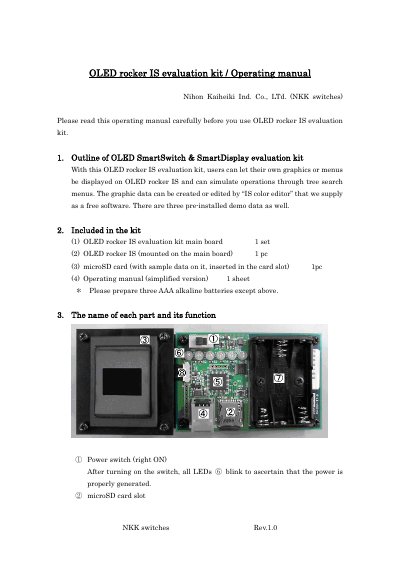

NKK Rev.1.0 OLED rocker IS evaluation kit Operating Manual - cover page
Brand
NKK
Category
Other
Document type
User Manual
Language
English
Pages
7
File format
PDF
File size
160 KB
Published
21 October, 2023
Updated
21 October, 2023
MD5 checksum
5E7C33AE4AD013A7957A80876D3D715B

About this manual

This manual guides users through operating the NKK OLED rocker IS evaluation kit, including displaying custom graphics via microSD card and navigating tree-style menus. It details component functions, file naming rules for menu files, and firmware modification tools. Safety and usage cautions are also provided.

What's inside

  • Outline of OLED SmartSwitch & SmartDisplay evaluation kit
  • Included in the kit
  • The name of each part and its function
  • Operation
  • File names and folder allocation on microSD card
  • Specifications for tree search
  • Disclosure of firmware, circuit diagrams, and parts list
  • Cautions on usage

Frequently asked questions

What is the purpose of the OLED rocker IS evaluation kit?

Users can let their own graphics or menus be displayed on OLED rocker IS and simulate operations through tree search menus.

What software is used to create or edit graphic data for the kit?

The graphic data can be created or edited by “IS color editor” that we supply as a free software.

What file names are used for menu items in the tree-structure menus?

File names shall be: select.001, select.002, select.003,…, select.009, select.010.

What is the maximum number of layers that can be used in tree-search menus?

Maximum 6 layers can be used.

Download PDF (160 KB)

More NKK Manuals


View all NKK manuals →