
This document is the TP-Link TL-WA850RE router user manual
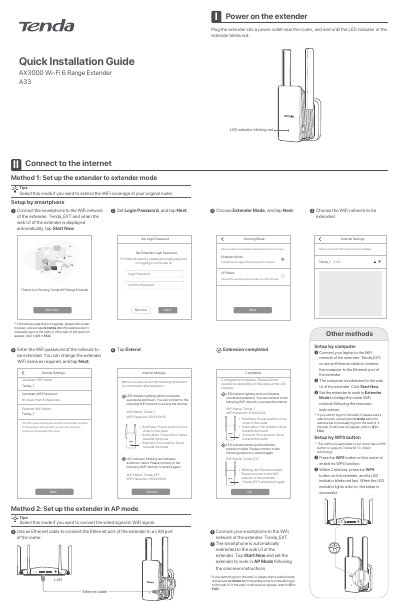
This manual guides users through setting up the Tenda AX3000 Wi-Fi 6 Range Extender A33 in either extender or AP mode. It includes step-by-step instructions for smartphone, computer, and WPS button setup. The guide also explains LED indicator meanings for status and positioning, and provides troubleshooting tips for common issues like login failures or WiFi detection problems.
Safety precautions and FCC compliance information are included, along with details on operating frequency and recommended cable usage to avoid interference.
| Operating Frequency | 2412-2462MHz, 5150-5350MHz, 5725-5850MHz |
|---|
Try the following solutions: ensure your device is connected to the extender’s WiFi, disable mobile data, reset the extender, or manually access re.tenda.cn in a browser.
Press the RESET button with a needle-like item for 1 to 3 seconds until the LED blinks blue.