
This file is a quick installation guide for a wireless router, which introduces how to connect the router and set up the router.
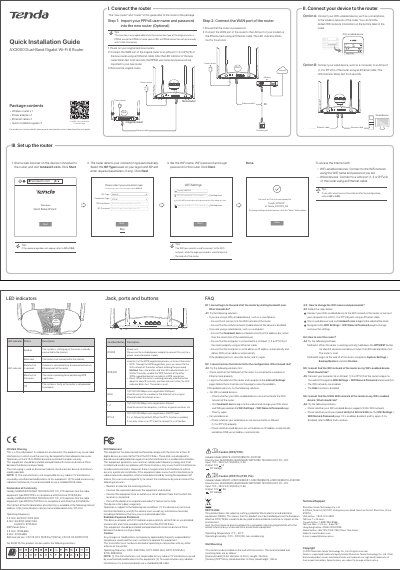
This document provides a quick installation guide for Tenda RX9 and TX9 series wireless routers. It details the steps to import PPPoE credentials from an existing router, connect the device to a modem, and configure the wireless network via the web interface at tendawifi.com.
| Operating Frequency (2.4 GHz) | 2412-2462 MHz |
|---|---|
| Operating Frequency (5 GHz) | 5150-5350 MHz, 5470-5725 MHz |
| EIRP Power (Max.) 2.4 GHz | 19.86 dBm |
| EIRP Power (Max.) 5 GHz | 22.96 dBm |
| Operating Temperature | 0°C - 40°C |
| Operating Humidity | 10% - 90% RH, non-condensing |
Connect to the router, visit tendawifi.com, navigate to WiFi Settings > WiFi Name & Password, and save the changes.
Hold the WPS/RST button for about 8 seconds until the LED indicator blinks fast, or use the web UI Backup/Restore function.
Connect a computer to a LAN port to log in to the web UI and ensure the WiFi networks are enabled and the Hide function is disabled.