
Swagelok e-Commerce Platform Quick Reference Guide

This document is a quick reference guide on how to place a quote and order on the Swagelok Southeast Texas e-Commerce platform.
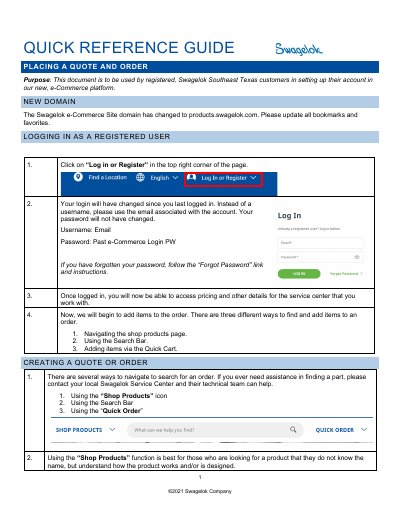

Swagelok e-Commerce Platform Quick Reference Guide - cover page
Brand
Swagelok
Category
Other products
Document type
Other
Language
English
Pages
7
File format
PDF
File size
1.2 MB
Published
20 October, 2023
Updated
20 October, 2023
MD5 checksum
A82FB030B318DEF0A9C3B6621C4AF666

About this manual

This document serves as a quick reference guide for registered Swagelok Southeast Texas customers to set up their accounts and navigate the new e-Commerce platform. It details the updated domain name and provides step-by-step instructions for logging in using email addresses instead of usernames.

What's inside

  • Placing a Quote and Order
  • New Domain
  • Logging In as a Registered User
  • Creating a Quote or Order
  • Shop Products
  • Quick Order Cart
  • Completing the Transaction - Quote
  • Completing the Transaction - Order

Frequently asked questions

What is the new domain for the Swagelok e-Commerce Site?

The domain has changed to products.swagelok.com.

How do I log in if I have forgotten my password?

Follow the 'Forgot Password' link and instructions provided on the login page.

Can I submit an order for items that do not have prices?

No, customers can only submit quotes for items without prices; a Customer Service Representative will return the quote with pricing.

Download PDF (1.2 MB)

More Swagelok Manuals


View all Swagelok manuals →