
This is an instruction manual for the REED Instruments C-322 Datalogging Sound Level Meter.
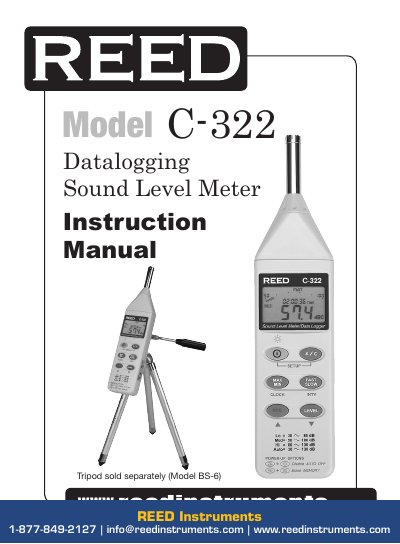
This manual provides detailed instructions for operating the Reed Instruments C-322 datalogging sound level meter. It covers features such as auto-ranging, real-time clock logging, and data recording. The guide explains how to set frequency and time weighting, adjust level ranges, take measurements, use MAX/MIN hold, and configure the clock and recording intervals. It also includes calibration procedures and instructions for using the RS232 interface software.
The device includes a 4-digit backlit LCD display, a 1/2” electret condenser microphone, and supports both AC and DC output. It operates on a 9V alkaline battery and measures sound levels from 30 to 130 dB with ±1.5 dB accuracy at 94 dB. The manual also details how to erase memory and replace the battery. This manual is written in Chinese.
| Measuring Range | 32 to 80 dB, 50 to 100 dB, 80 to 130 dB |
|---|---|
| Resolution | 0.1 dB (1dB analog) |
| Accuracy | ±1.5 dB @ 94 dB |
| Frequency Range | 31.5 Hz to 8 kHz |
| Microphone | 1/2” electret condenser microphone |
| Power Supply | 1 x 9V alkaline battery |
| Dimensions | 275 × 64 × 30mm (10.8 × 2.5 × 1.2”) |
| Weight | 285g (0.55lb) |
Press the A/C button to switch between A and C Frequency Weighting. Press the Fast/Slow button to switch between fast and slow Time Weighting measurements.
Calibrate the instrument before operation if it was not in use for a long time or operated in a bad environment. Set the display to dBA, time weighting to FAST, measurement mode to MAX MIN, and level range to 50 to 100dB. Insert the microphone housing into the calibrator and adjust the CAL potentiometer until the desired level is displayed.
Turn off the meter, press and hold the REC button, then press the power button and hold for at least 5 seconds. The LCD will show “CLR” and “SURE” to confirm memory clearance.