
This manual introduces the features and usage of the R5003 True RMS current/voltage datalogger.
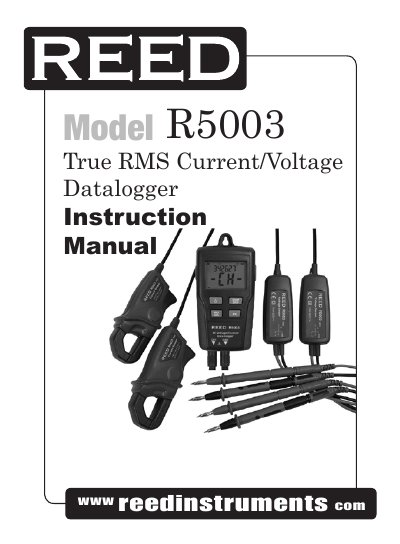
This manual provides instructions for operating the R5003 True RMS Current/Voltage Datalogger. It includes safety guidelines, features like dual-channel recording and USB connectivity, and detailed steps for recording, data transfer, and software use. The device logs voltage and current data over time and can be connected to a PC for analysis using included software.
The manual also covers settings such as auto power-off, max/min readings, and continuous logging. Safety precautions are emphasized, including avoiding use in wet or explosive environments and not opening the battery compartment during operation.
| Operating Temperature | -32 to 122°F (0 to 50°C) |
|---|---|
| Operating Humidity | <70% RH |
| Storage Temperature | -4 to 140°F (-20 to 60°C) |
| Storage Humidity | < 80% relative humidity |
| Standards | CE, CAT III 600V, inside use, max height 2000M |
| Display | Multi-function LCD |
| Maximum Data Points | 256,000 values |
| Sample Rate | 1s to 24h selectable |
| Data Output | USB port |
| Analysis Software | Windows 2000/XP/Vista |
| Channels | Dual channel, TRMS AC Voltage or Current |
| AC Adaptor | 9V, 0.5A |
| Clamp Jaw Opening | 0.5” (12.7mm) |
| Power Supply | 4 AAA Batteries and 1 CR 3V memory button battery (CR2032 or equivalent) |
| Power Consumption | 5 days (approximately) |
| Dimensions | 4.5 x 2.5 x 1.3” (114 x 63 x 34mm) |
| Weight | 8.7oz (248g) |
| Voltage Range | 6 to 600.0VAC |
| Voltage Accuracy | ±2.0%±1V |
| Current Range | 15 to 200.0A |
| Current Accuracy | ±2.0%±1A |
Press and hold the START/STOP button for four seconds to start recording. Press and hold the same button for four seconds again to stop recording.
Connect the datalogger to the PC via USB, then use the supplied software to download the data.
The meter will automatically shut off after 5 minutes of inactivity, but this does not apply when recording.