
Instructions on how to create a manual (ebsx) bid, including logging in to the website, downloading files, and filling out forms
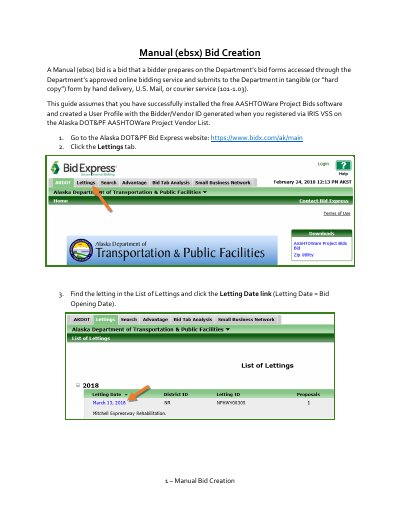
This guide explains how to create a manual (ebsx) bid using the AASHTOWare Project Bids software. It covers steps from accessing bid forms to saving and printing the bid for submission by hand, mail, or courier. It also includes instructions for handling addenda and bid modifications.
The guide assumes users have installed the free AASHTOWare Project Bids software and created a User Profile with a Bidder/Vendor ID. It details how to navigate bid forms, enter unit prices, acknowledge addenda, and sign the bid in ink before submission.
A bid prepared on Department’s bid forms accessed through the Department’s approved online bidding service and submitted in tangible form.
The free AASHTOWare Project Bids software must be installed.
By hand delivery, U.S. Mail, or courier service.
The Bidder’s Acknowledgement & Certification tab.