
This manual provides detailed installation instructions for the NPort Express RS-232/422/485 device server, which can be used to connect devices with RS-232 ports via a TCP/IP network.
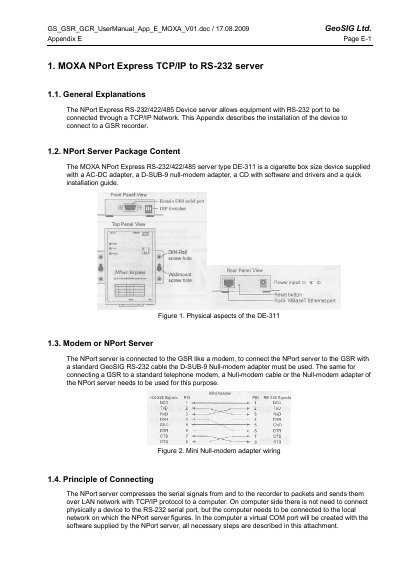
This guide explains how to install and configure the MOXA DE-311 NPort Express server to connect RS-232 devices to a TCP/IP network. It covers physical setup, wiring with a null-modem adapter, IP configuration, and creating a virtual COM port on the computer. The device compresses serial signals into TCP/IP packets for network transmission.
Troubleshooting tips are provided for IP conflicts and NAT router setups to enable remote access. The guide references the MOXA manual for further settings and includes figures for hardware and software steps.
It allows equipment with RS-232 port to be connected through a TCP/IP Network.
Set 3 dip switches on NPort Server to OFF (low).
The factory default IP address is static and set to 192.168.127.254.
The default value for GSR is 38400 baud.