
This file is the user manual for Kenwood KRF-V4530D KRF-V5030D/V5030DE/V5030D-S KENWOOD KRF-V6030D/V6030DE/V6030D-S VR-405/406/414
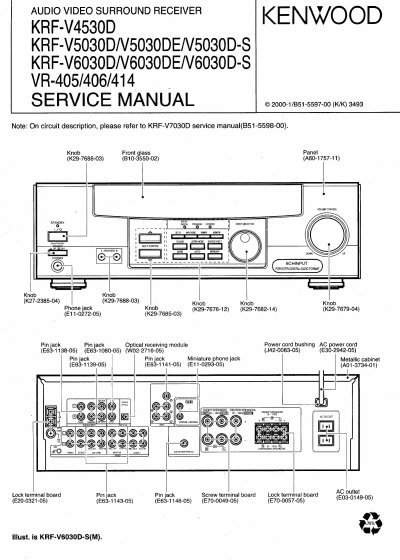
This document is a service manual for Kenwood audio video surround receivers, specifically models KRF-V4530D, KRF-V5030D, KRF-V5030DE, KRF-V5030D-S, KRF-V6030D, KRF-V6030DE, KRF-V6030D-S, VR-405, VR-406, and VR-414. It provides technical information including a list of accessories, cautions, control descriptions, block diagrams, circuit descriptions, and adjustment instructions. For circuit descriptions, users are directed to refer to the KRF-V7030D service manual.
The following items will be deleted from the unit's memory: power mode, input selector settings, device preset, picture output, speaker ON/OFF, volume level, bass, treble, input level, subwoofer ON/OFF, dimmer level, monitor ON/OFF, MD/tape settings, 6CH/2CH input setting, listen mode setting, speaker settings, input mode setting, midnight mode setting, broadcast band, frequency setting, preset stations, tuning mode, and memory back up function.
To use the VIDEO 2/MONITOR jacks as MONITOR jacks, hold down the MONITOR key of the main unit for more two seconds so that the indication shown below appears.
If the microcomputer malfunctions, unplug the power cord from the wall outlet, then plug it back in while holding down the POWER key for U.S.A. and Canada, or turn the POWER key OFF and press POWER while holding down the ON/STANDBY key for other countries.