
This manual introduces how to use KING WiFiMax, including connection method and usage method
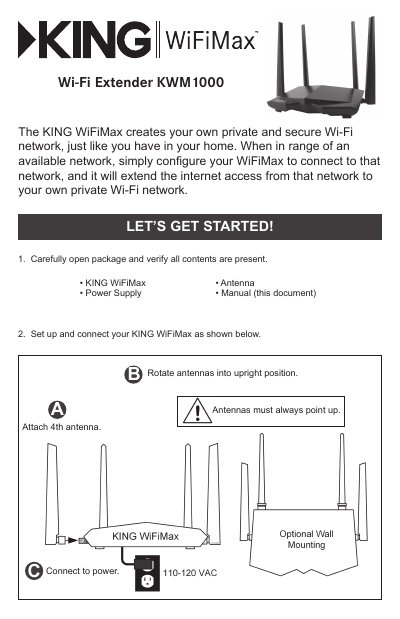
The document serves as a setup and operation guide for the KING WiFiMax KWM1000, a dual-band wireless extender. It details the initial configuration process, including connecting to the default network, accessing the web interface at http://mykingwifi.com, and customizing the SSID and password for both 2.4GHz and 5GHz bands. The guide also explains how to connect the device to an upstream network to extend coverage.
| Wireless Standards | IEEE802.11a/b/g/n/ac |
|---|---|
| Supported Frequencies | 2.4GHz and 5GHz |
| Security | WPA/WPA2-PSK |
| Power Supply | 12v |
| Storage Temperature | -40ºF to 158ºF |
The 5GHz network (KING_XXXXXX_5G) is faster than the 2.4GHz network.
WPA/WPA2-PSK is recommended to enable password protection.
The product is covered by a one-year parts warranty.