
This file is the installation and operation manual for Jensen JHD12 car audio, introducing the features of the product, including AM/FM (US/Europe /Japan/Russia) tuner and Bluetooth streaming audio
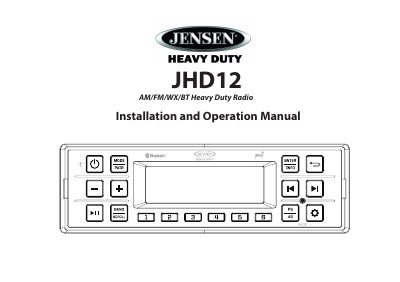
This manual provides step-by-step instructions for installing the Jensen JHD12 car radio, including wiring, mounting, and safety precautions. It also covers basic operation, tuning, Bluetooth setup, and system settings like clock, volume, and bass/treble controls. Safety warnings and troubleshooting tips are included to ensure proper installation and safe use.
The JHD12 features a 14-character LCD, 30 presets, Bluetooth streaming, and 25W RMS output. It supports multiple tuning regions and includes low-voltage alerts and clock settings. The manual includes diagrams and detailed steps for mounting, wiring, and adjusting audio settings.
| Maximum Output Power | 25W x 4 |
|---|---|
| Tuner Bands | AM/FM (US/Europe /Japan/Russia) with Weatherband |
| Display | 14 Characters Alpha-Numeric Segmented LCD |
| Bluetooth Support | A2DP and AVRCP |
| Clock | 12/24 Hour Selectable |
Maximum Output Power RMS 25W x 4.
It has 30 presets (12 AM, 18 FM).
It supports USA, Europe, Russia, and Japan tuning regions.
Turn the ignition on, turn the radio on, enter the system menu, and adjust the clock using the ENTER/INFO button and navigation buttons.