
Jensen Eagle 100 and Lynx 500 Driver Installation and Network Connection Manual

This manual is for Eagle 100 and Lynx 500 version 1, and it provides instructions on the usage and placement of the USB cradle, downloading and installing drivers, connecting to a wireless network in different operating systems, and uninstalling drivers. The document also includes information on how to find the installed driver version.
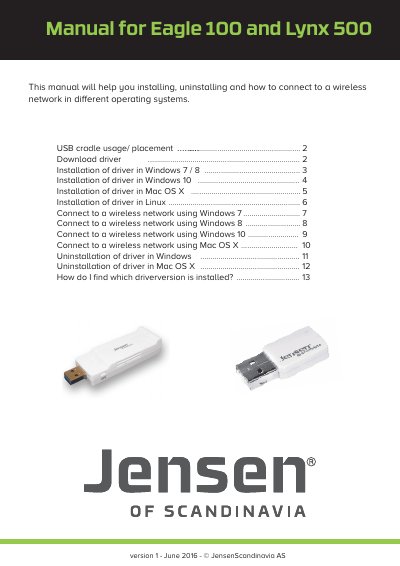

Jensen Eagle 100 and Lynx 500 Driver Installation and Network Connection Manual - cover page
Brand
Jensen
Category
Other Computer Accessories
Document type
User Manual
Language
English
Pages
13
File format
PDF
File size
2 MB
Published
14 September, 2022
Updated
28 September, 2023
MD5 checksum
5611EF049A2DB21859893C719E77A7BD

About this manual

This manual covers the installation and uninstallation of the driver software for the Jensen Eagle 100 and Lynx 500 devices on Windows 7, 8, 10, Mac OS X, and Linux. It also explains how to unzip the driver files and restart the computer after installation.

What's inside

  • USB cradle usage
  • Download driver
  • Installation of driver in Windows 7 / 8
  • Installation of driver in Windows 10
  • Installation of driver in Mac OS X
  • Installation of driver in Linux
  • Connect to a wireless network using Windows
  • Connect to a wireless network using Mac OS X
  • Uninstallation of driver in Windows
  • Uninstallation of driver in Mac OS X

Frequently asked questions

How do I find which driver version is installed?

In Windows device manager, open the Network card tab, select the device, and click the Driver tab to see the version.

What is the encryption key length for the wireless network?

The encryption key is usually 8 digits with a mix of lower/upper case letters and numbers.

How do I uninstall the driver in Windows?

Navigate to the driver folder, open CMD, change to the folder, and run the command 'setup -uninst'.

Download PDF (2 MB)

More Jensen Manuals


View all Jensen manuals →