
This is a user manual for ICOP Technology Inc.'s product VDX-6315D/ VDX-6315D-512 DM&P Vortex86DX 800MHz Tiny CPU Module, which mainly introduces the product's specifications, installation method, system mapping and other information
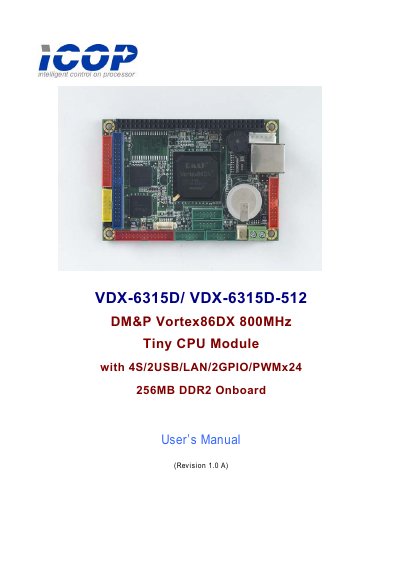
This document provides installation and configuration guidance for the ICOP VDX-6315D and VDX-6315D-512 Tiny CPU modules. It includes details on board dimensions, connectors, jumper settings, and system mapping. The module features an 800MHz Vortex86DX SoC, 256/512MB DDR2 memory, Ethernet, USB, GPIO, and supports operating systems like DOS, Windows, and Linux.
The manual also covers driver installation for LAN, BIOS settings, and troubleshooting, including restoring default BIOS settings and warranty information. This manual is written in Chinese.
| CPU | Vortex86DX 800MHz |
|---|---|
| System Memory | 256/512MB DDR2 Onboard |
| Ethernet | 10/100Mbps |
| USB | 2 USB 2.0 (host) |
| GPIO | 16-bit x2 |
| Operating Temperature | -20°C to +70°C |
| Power Requirement | Single Voltage +5V @ 400mA |
| Dimensions | 100mm X 66mm |
| Weight | 63g |
The VDX-6315D supports Free DOS, DOS 6.22, PCDOS 7.1, DR-DOS, x-DOS, OS/2, Windows CE 6.0, Windows 98, Windows XP Professional, Windows Embedded Standard (XPE), and Windows 2000 (SP4).
Press "End" key on power on, then press to enter AMI BIOS setup, press "F9" to Load Optimized Defaults, and press "F10" to Save and Exit.