
This manual describes the installation and operation of the Dual-Vision™ XC4 recorder.
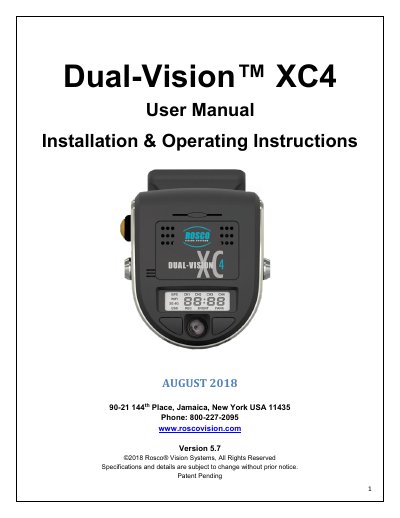
The Dual-Vision™ XC4 by Rosco is a vehicle-mounted HD video recorder with dual cameras for exterior and interior views. It includes built-in GPS, G-sensor, and a removable SD card for data storage. The system supports continuous and event-based recording, with video and data accessible only via Rosco’s DV-Pro5 Player software. Installation requires a PDC module and windshield mount, with optional Wi-Fi or 4G modules for remote access.
The manual covers installation, operation, troubleshooting, and data management, including SD card formatting, G-sensor event analysis, and video conversion to AVI format for legal use.
| Built-in Cameras | Two Cameras with CMOS Sensors |
|---|---|
| Camera Viewing Angles | Front Camera: D135°x H85⁰ x V55⁰, Interior Camera: D160° x H112⁰ x V80⁰ |
| Video Compression | H.264 with CBR (Constant Bit Rate) |
| Resolution | 720p for windshield view and 960h for cabin interior view camera |
| GPS | Built-in GPS module w/antenna |
| Operating Voltage | 12 VDC ~ 24 VDC |
| Operating Temperature | -20⁰C ~ +65⁰C (-4⁰F ~ +149⁰F) |
| Size | W 3.70” x L 4.13” x T 2.0” |
| Weight | 7.5 oz. recorder unit, 5.3 oz. bracket, 12.6 oz. recorder unit with bracket |
| Current Consumption @12.8 VDC | Maximum ~1.2 A (4 channels with Wi-Fi and 4G Wireless) Operation ~450mA (2ch only) ~650mA (4ch) Parking ~400mA (2ch only) With Wi-Fi ~550mA (2ch only), ~700mA (4ch) PDC only ~200mA (without Recorder) OFF/Standby ~10mA |
Always use the 'EJECT' feature on your PC prior to removing any SD card. Failure to do so will corrupt the SD card.
Up to 256GB SDXC memory card is supported.
No, video is stored in proprietary files and can only be viewed using Rosco’s DV-Pro5 Player software. However, it can be converted to .avi format for sharing.
The operating temperature range is -20°C to +65°C (-4°F to +149°F).