
This manual introduces the features and functions of the EMN series Mini Mobile IP Dome Camera, as well as the methods of use, including installation, configuration, operation and maintenance.
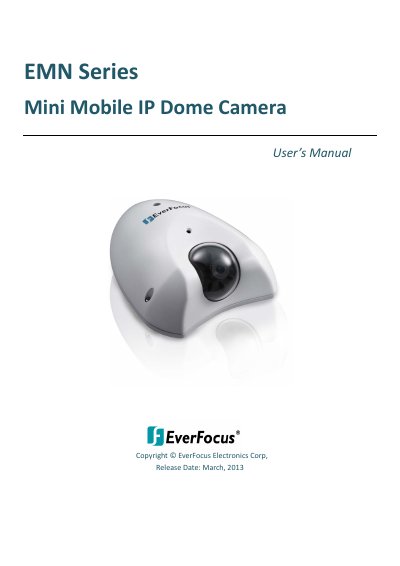
This manual provides instructions for installing, configuring, and operating EverFocus EMN Series mini mobile IP dome cameras. It covers features like vandal-proof (IK10) and weather-proof (IP67) housing, H.264/MPEG4/MJPEG compression, and ONVIF/PSIA compatibility. The guide includes setup steps for network connection, SD card use, live viewing, and firmware upgrades. Safety precautions and environmental ratings are also detailed.
The EMN series includes 1.3 MP, 2 MP, and 3 MP models with selectable lenses and support for both DC power and PoE. It supports remote access via EverFocus CMS or mobile apps and includes features like WDR, DNR, motion detection, and 10x digital zoom. The manual also explains how to adjust settings, manage storage, and troubleshoot basic issues.
| Resolution | Up to 2048 x 1536 (EMN2320) or 1920 x 1080 |
|---|---|
| Video Compression | H.264, MPEG4, MJPEG |
| Protection Rating | IK10 vandal-proof, IP67 weather-proof |
| Operating Temperature | -40°C~55°C (-40°F~131°F) for DC, -20°C~55°C (-4°F~131°F) for PoE |
| Power Supply | 10-36VDC or PoE (IEEE802.3af) |
| Lens Options | 2.8mm, 3.6mm, 6mm, 8mm (EMN2120/2220); no lens specified for EMN2320 |
The camera operates at -40°C~55°C (-40°F~131°F) for DC power or -20°C~55°C (-4°F~131°F) for PoE.
H.264, MPEG4, and MJPEG.
IK10 vandal-proof and IP67 weather-proof.
Use the IP Utility to browse and select the firmware file (.evb), then click Open to start the upgrade. The camera will reboot after completion.