
This document introduces the operation methods of TZTL12F/TZTL15F/TZT2BB, including home icon, power switch, etc
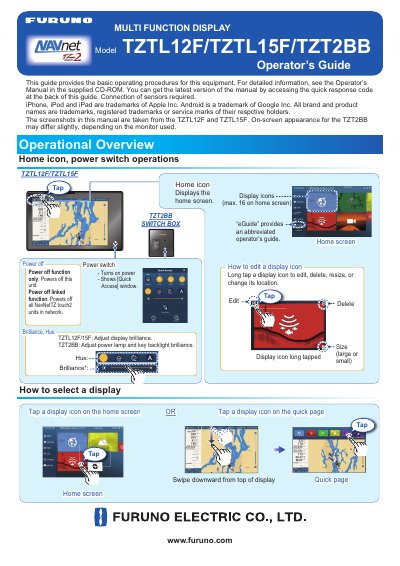
This Operator's Guide covers the basic operating procedures for the Furuno TZTL12F, TZTL15F, and TZT2BB multi-function display units. It details touchscreen gestures, menu navigation, and how to manage display icons and home screens. The guide notes that screenshots are primarily from the TZTL12F and TZTL15F models, while the TZT2BB may show slight differences depending on the monitor used.
The manual explains how to perform various navigation tasks, such as creating routes, setting guard zones, and using ARPA for anti-collision. It also provides instructions for configuring wireless LAN settings to connect to the internet for weather data or to create a local network for connecting with smartphones and tablets.
Displays the home screen.
Adjust display brilliance.
Selects a display.
Swipe opposite direction to hide the data area.