
This file is a software installation manual for the sharp mx-6230n multi-function all-in-one
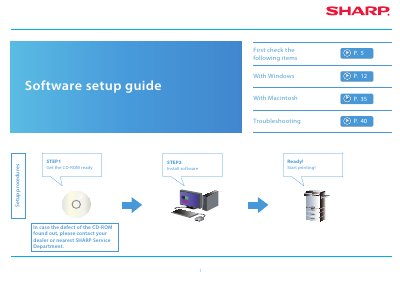
This manual provides instructions for installing necessary software such as the printer driver, scanner driver, and PC-Fax Driver. It covers setup procedures for both Windows and Macintosh operating systems, including standard, advanced, and custom installation methods.
The document details how to connect the machine via LAN, check system requirements, and install specific drivers like PCL6, PostScript (PS), and TWAIN. It also includes troubleshooting steps for common issues such as software installation failures or inability to detect the machine on a Mac.
| Supported Printer Control Language | Hewlett-Packard PCL6 |
|---|---|
| Supported Page Description Language | PostScript 3 |
Supported Windows versions include Vista, Server 2008, 7, 8, 8.1, 10 (or higher), and Server 2012. For Macintosh, Mac OS X 10.10 is used in the manual.
The machine connects via LAN using a computer with an IBM PC/AT compatible model equipped with a LAN board supporting 10Base-T/100Base-T X/1000Base-T.
You can check the IP address by printing the "Machine Status List" via the Setup menu.