
Guide for installing, configuring and using Sharp Sharpdesk scanning software on Windows PCs.
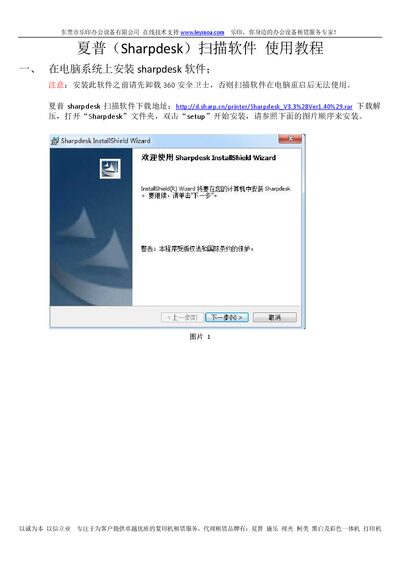
This manual provides step‑by‑step instructions for installing the Sharpdesk scanning software, including prerequisite removal of conflicting programs and entering the provided serial number. It also covers how to set up network scanners, add devices manually, and configure user names displayed on copier panels.
The document includes a troubleshooting section that addresses common issues such as unsupported operating systems, network errors, file format settings, and username conflicts, helping users resolve problems quickly. This manual is written in Chinese.
| Supported operating systems | WIN2000/XP/7 |
|---|---|
| Default scan file format | TIF image format |
| Software version | V3.3 (Ver1.40) |
It only supports Windows 2000, XP and 7; Windows 8 and 2003 are not supported.
In the copier’s management page, go to Image Send Management → Destination, edit the user, and set File Format to PDF MMR(G4).