
Quick start guide, introducing the basic operations of CT-S1000V, including how to select sounds, overlay sounds, strength keyboard, sustain, arpeggio, lyrics sounds, etc.
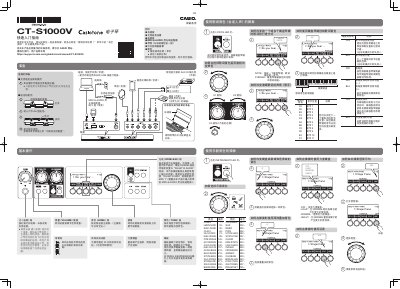
This document serves as a quick start guide for the Casio CT-S1000V digital piano. It provides instructions on initial setup, including connecting power or batteries and using the included accessories like headphones and USB cables.
The guide details basic operations such as selecting instrument tones (including 900 presets), choosing rhythms from various categories like Pop, Rock, and Jazz, and utilizing the wireless connectivity for mobile devices. It also explains how to record performances, save settings, and customize sound parameters using control knobs. This manual is written in Chinese.
| Maximum Polyphony | 64 voices |
|---|---|
| Power Source | 900 preset tones (including 100 lyric tones) |
| Tempo Range | 20 to 255 BPM |
| Settings Storage | Up to 64 groups (4 groups x 16 banks) |
| Demo Songs | 2 songs |
| Recording Tracks | 1 rhythm track, 1 multi-track song |
| Sampling Frequency | 44.1 kHz Stereo |
| Octave Shift Range | -3 to +3 octaves |
| Tuning Frequency | 415.5 to 465.9 Hz (Standard: 440.0 Hz) |
| MIDI Channels | 16 channels, GM Standard |
| Dimensions | 93.0 (W) x 25.8 (D) x 9.1(H) cm |
| Weight | Approx. 4.7 kg (without batteries) |
The CT-S1000V has a maximum polyphony of 64 voices.
There are 900 preset tones, which include 100 lyric tones.
Yes, it supports iOS and Android devices via USB terminal connection.