
This quick start guide introduces the basic operation of the digital electronic keyboard CT-S500, including how to play different sounds, how to use the knobs to change the sound effect, how to change the voice to add the sound effect, how to enable dynamic DSP, etc.
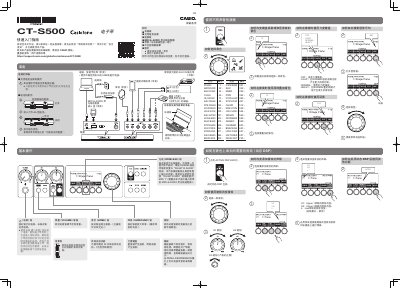
This document serves as a quick start guide for the Casio CT-S500 digital piano. It provides instructions on preparing power sources, connecting accessories like wireless adapters, and performing initial setup steps such as battery installation and language configuration.
The guide details basic operations including turning the device on and off, adjusting volume, using the touch-sensitive keyboard with various sensitivity settings, and utilizing built-in features like surround sound, auto-accompaniment rhythms, and recording functions. It also explains how to save user settings and register songs. This manual is written in Chinese.
| Touch Sensitivity | 3 levels, Off |
|---|---|
| Maximum Polyphony | 64 notes |
| Tone Functions | 800 preset tones |
| Effects | 24 types, Chorus (12), Delay (15) |
| Metronome Range | 20 to 255 BPM |
| Auto Accompaniment Rhythms | 243 preset, 50 user rhythms |
| Settings Registration | Max 64 groups (16 banks) |
| Power Supply | 12VDC or 6 AA batteries |
| Dimensions | 93.0 x 25.8 x 9.1 cm |
The device automatically turns off if unused for more than 30 minutes.
It supports 6 AA alkaline batteries or Ni-MH rechargeable batteries.
There are 243 preset rhythms and 50 user-defined rhythms.