
This is a scientific calculator
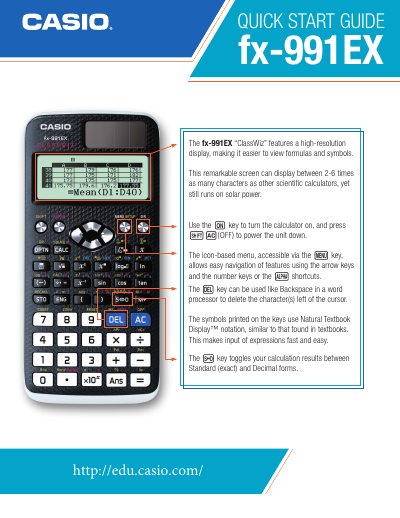
The Casio fx-991EX "ClassWiz" is a scientific calculator featuring a high-resolution display capable of showing between 2 to 6 times as many characters as other models while running on solar power. Users can turn the unit on using the key and power it down by pressing {Ac} (OFF). The device utilizes Natural Textbook Display™ notation for fast and easy input, similar to textbook formats.
| Display Resolution Comparison | 2-6 times as many characters as other scientific calculators |
|---|---|
| Power Source | Solar power |
| Matrix Size Limit | up to 4x4 |
| Vector Dimensions | 2- and 3-dimensional |
| Spreadsheet Capacity | up to 5 columns and 45 rows |
Use the key to turn the calculator on, and press {Ac} (OFF) to power the unit down.
It uses Natural Textbook Display™ notation, which is similar to that found in textbooks.
Yes, the key toggles calculation results between Standard (exact) and Decimal forms.