
VIVOTEK Retail Counting App User Manual

This user manual explains how to use the VIVOCloud Retail Counting application
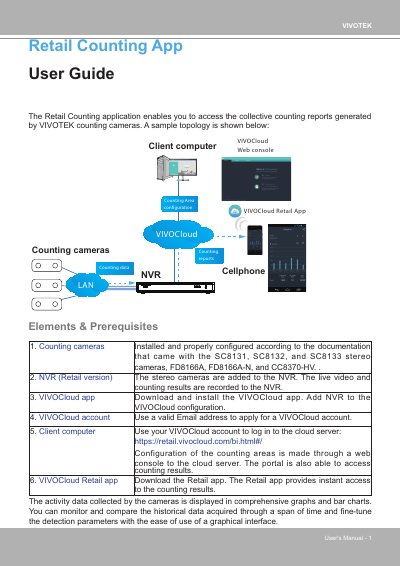

VIVOTEK Retail Counting App User Manual - cover page
Brand
Vivotek
Category
Other Electronics
Document type
User Manual
Language
English
Pages
12
File format
PDF
File size
3.1 MB
Published
16 October, 2023
Updated
16 October, 2023
MD5 checksum
FD4BAC60B3EA1DC7BDB3DED69A5B08E6

About this manual

The VIVOCloud Retail application allows users to access collective counting reports generated by VIVOTEK counting cameras. The system connects counting cameras to an NVR, which records live video and counting results. These results are then accessible via the VIVOCloud web console and the mobile Retail app.

What's inside

  • System Topology
  • Prerequisites
  • Configuration Steps
  • Counting Area Setup
  • Dashboard Configuration
  • Data Comparison
  • Mobile App Usage
  • Data Export

Frequently asked questions

What data can the Retail Counting App access?

The app enables you to access collective counting reports generated by VIVOTEK counting cameras.

How long of counting data can be stored in report format?

Up to 2-year of counting data can be stored in WoW, MoM, YoY card report format.

How many counting rules are supported per area in the free trial version?

For the current free trial version, up to 5 counting rules in 1 area is supported.

Download PDF (3.1 MB)

More Vivotek Manuals


View all Vivotek manuals →